Set up "Continue" button availability
Set the "Continue" button so learners can’t continue to the next section until they complete the quiz or reach a passing score. This ensures they move through the content in order and don’t skip important steps.
A section is a part of a page within a chapter. It can be:
- From the beginning of the chapter to a "Continue" button
- Between two "Continue" buttons
- From a "Continue" button to the end of the chapter
- Add a “Continue” button below a quiz. You can place it anywhere on the page, for example, at the end of a section.
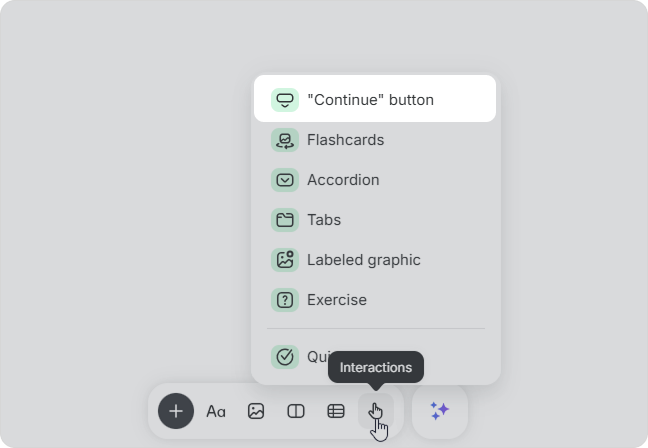
- Open the button settings using the top toolbar or the ⋮⋮ menu > Settings.
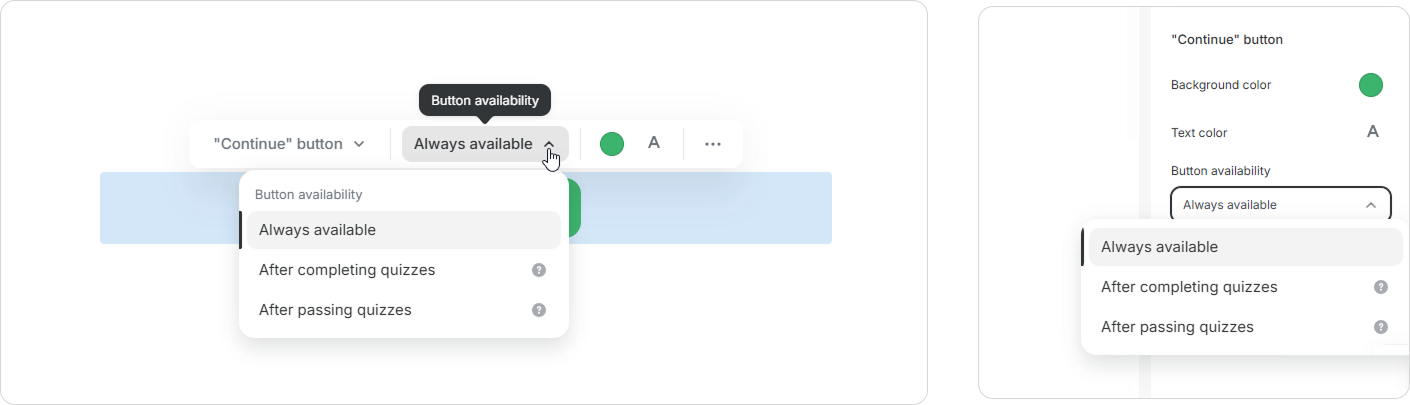
- In the Button availability field, choose when the button becomes available:
- Always available — learners can immediately continue to the next section by clicking on the button.
- After completing quizzes — the button becomes available after all questions are answered in all quizzes above the button.
- After passing quizzes — the button becomes available after a passing score is reached in all quizzes above the button.
After completing quizzes
Learners can click the "Continue" button after answering all questions in all quizzes above the button. A passing score is not required.
Until then, the learner will see a hint instead of the button: "Complete the quizzes to continue."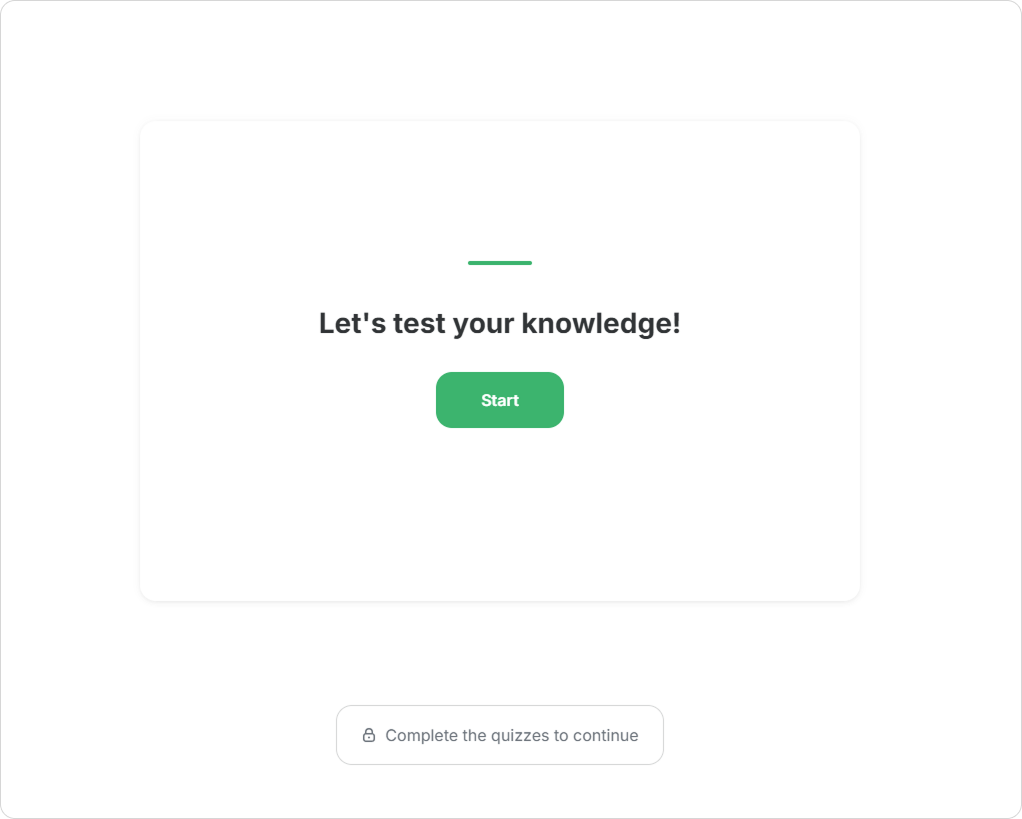
Once all quizzes are completed, the "Continue" button appears.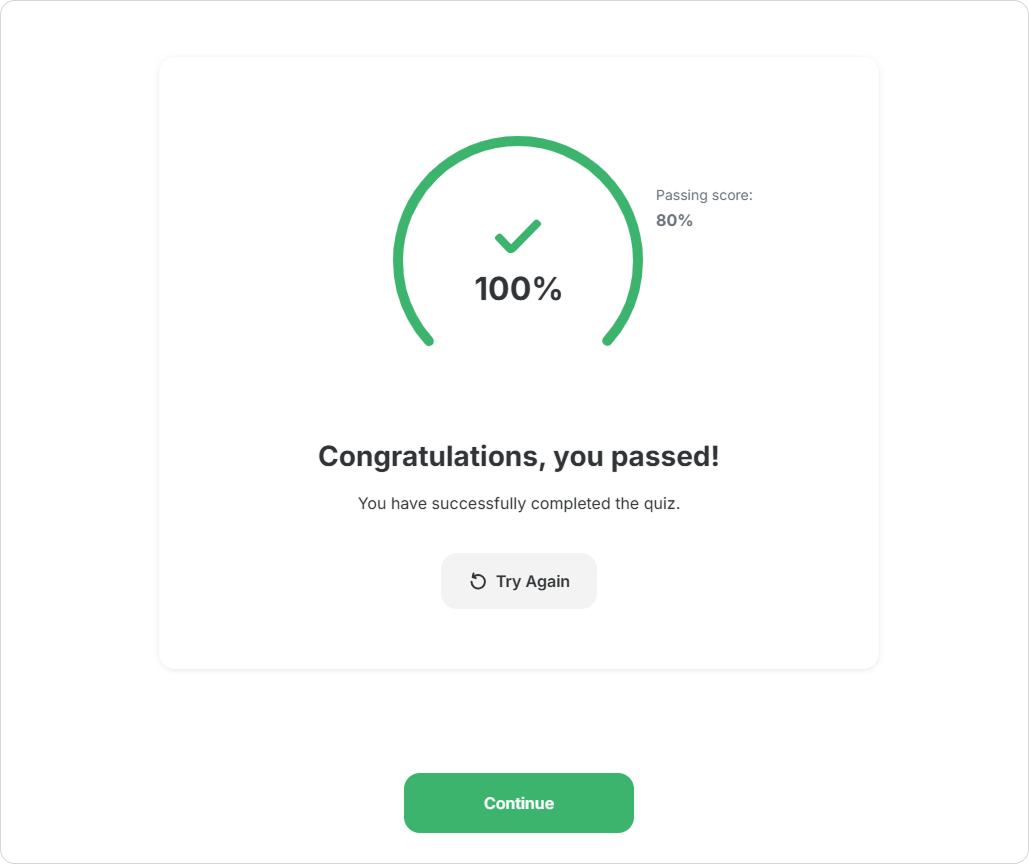
After passing quizzes
Learners can click the "Continue" button after reaching a passing score in all quizzes above the button.
Until then, the learner will see a hint instead of the button: “Pass the quizzes to continue.”
If the learner does not reach a passing score, they can retry the quiz (if attempts are not limited).
If all attempts are used, they won’t be able to continue. In this case, they should contact an administrator.
You can add multiple "Continue" buttons on the same page. Each button reveals the content that follows it.
Done! The "Continue" button now reveals the next section based on the selected conditions.
You are creating a workplace safety course and want to make sure learners do not skip the knowledge check and fully understand the topic. Structure the course like this:
- Theory
- Quiz
- "Continue" button with After passing quizzes selected
- Next section
When a learner achieves a passing score, the "Continue" button appears, and they can continue.
Until a passing score is reached, they cannot move forward. The learner returns to the quiz, reviews the material, and reinforces their understanding. Once they pass, they can continue the course.