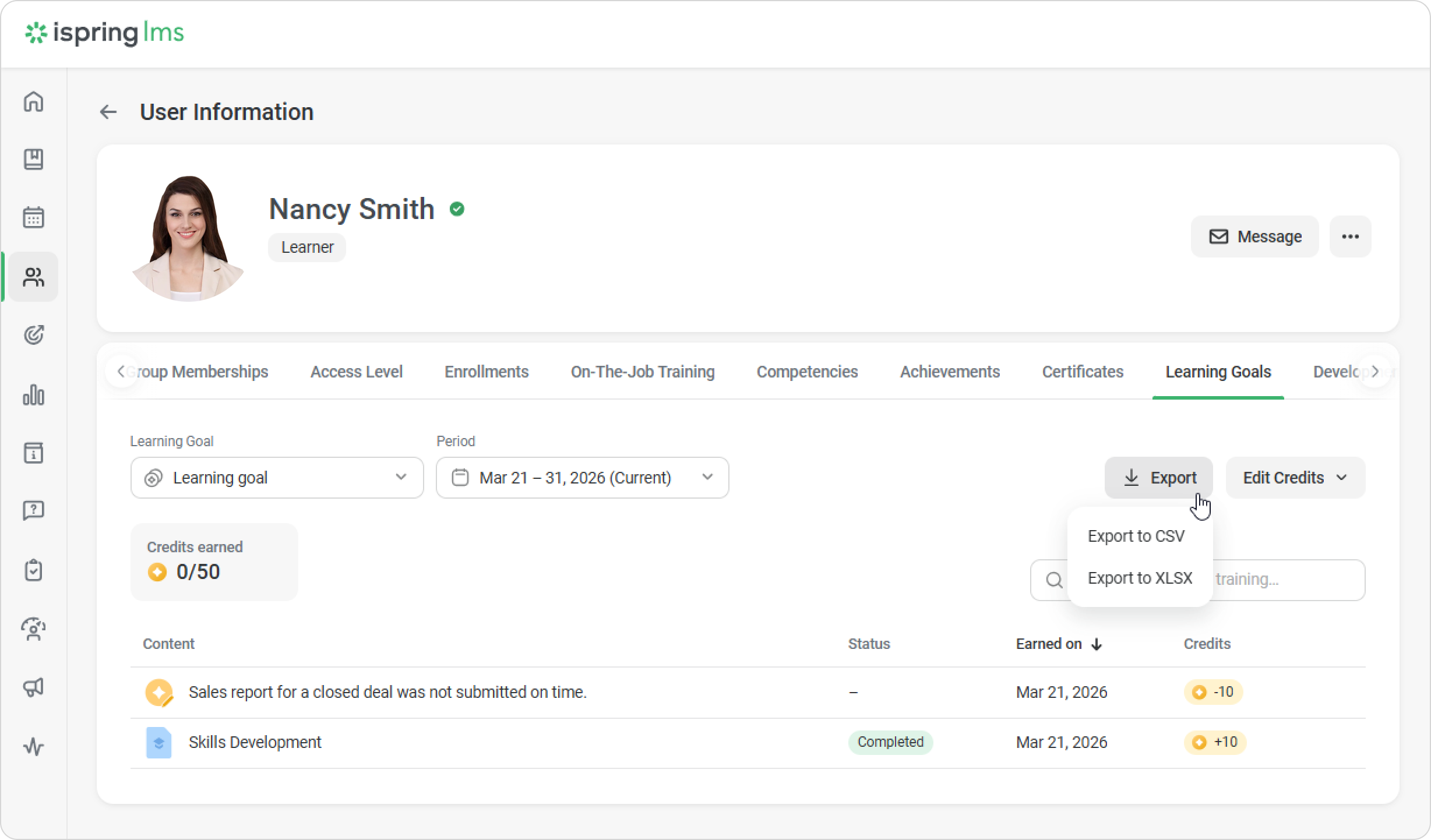
Administrators and users with a custom role can manually award or revoke learning credits in the Administrator Portal.
Imagine a situation: if a sales manager forgets to submit a report for a closed deal, it violates company rules and lowers their CPD credits. The administrator can then revoke the appropriate learning credits.
How to change learning credits manually
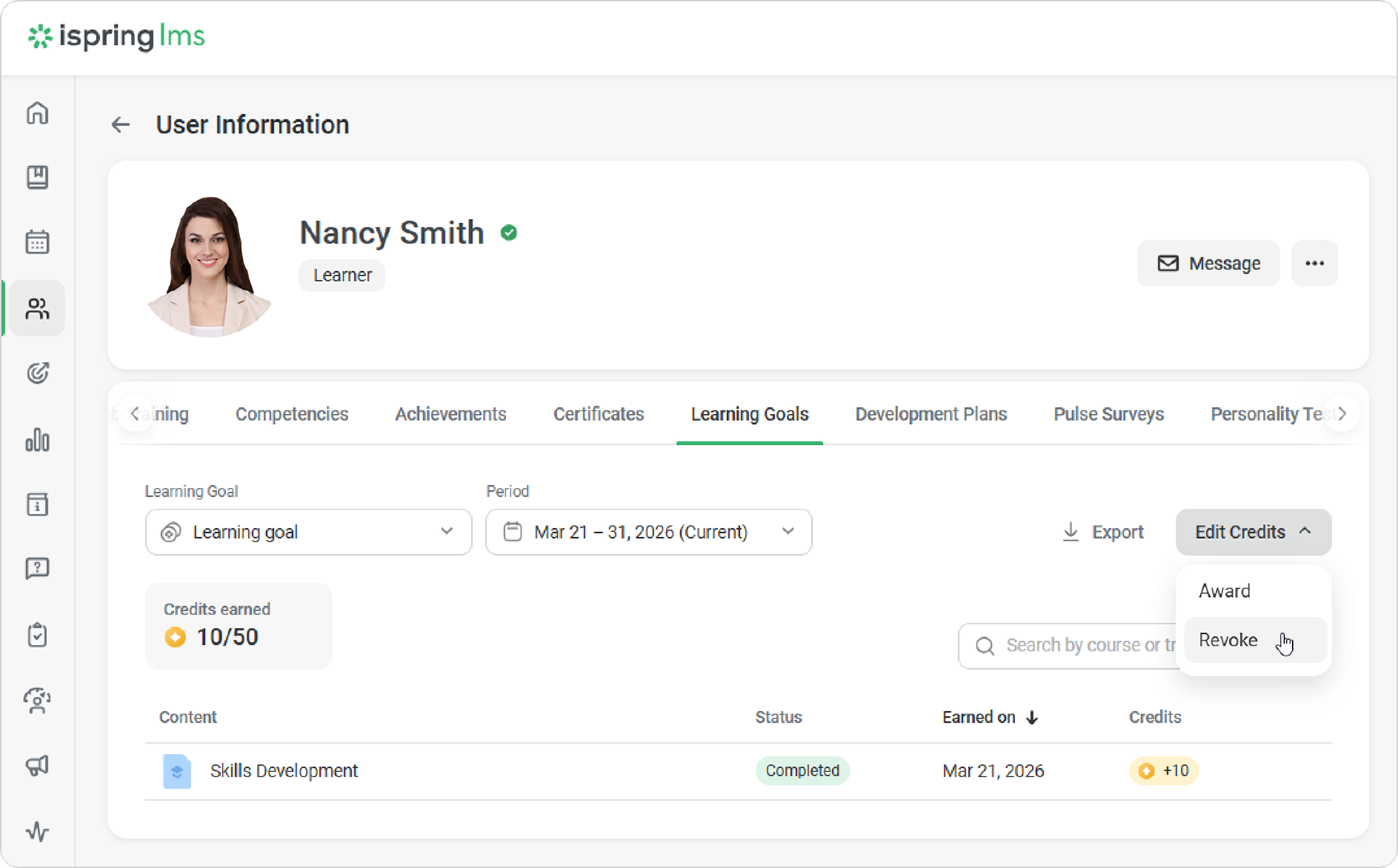
- In the Administrator Portal, open the employee’s card and go to the Learning Goals tab.
- Select the learning goal and period.
- Click on Edit Credits and choose whether to revoke or award credits.
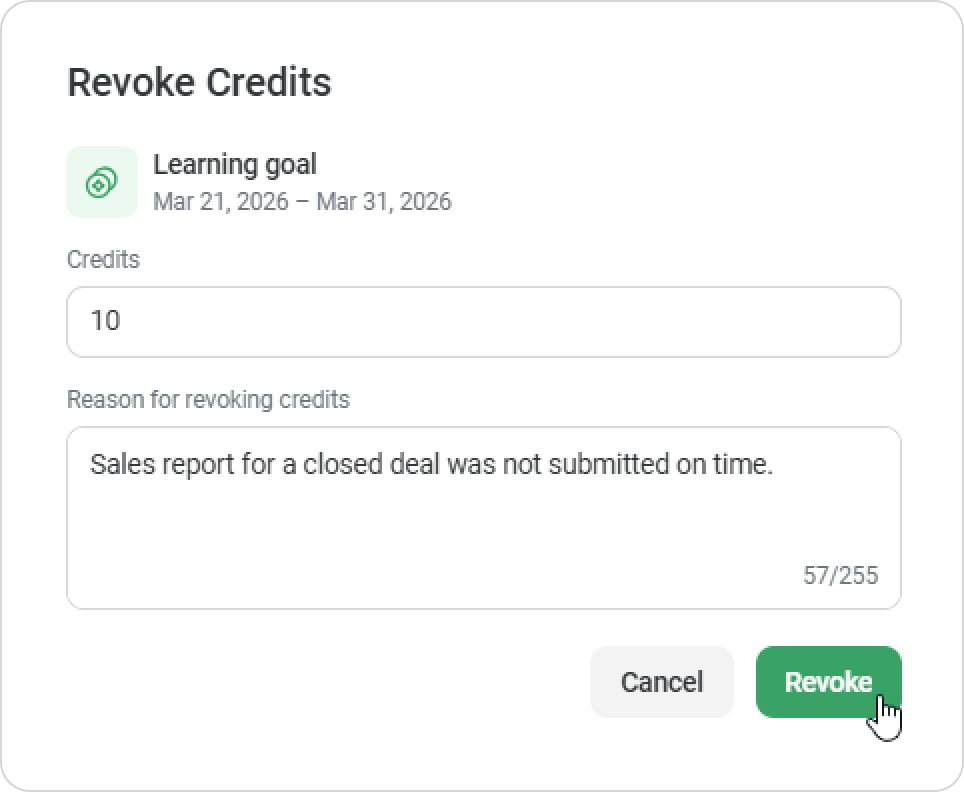
- To revoke credits, enter the number of credits, provide a reason, and click Revoke.
In the User Portal, the employee will receive a notification and can see why the number of learning credits has changed.
You can export employee data in XLSX or CSV format.