You can create a page in a project or add it to a course.
How to Create a Page in a Project
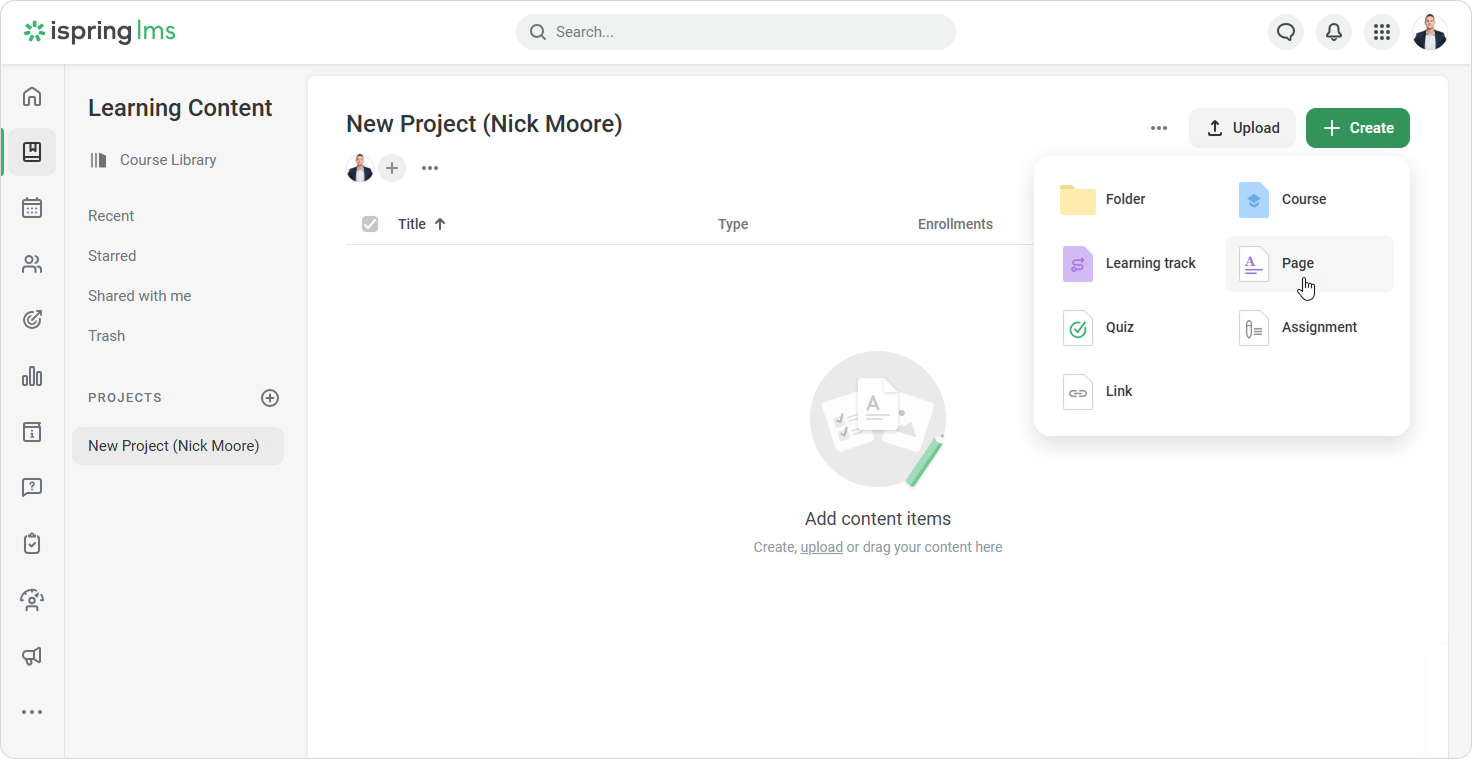
Open a project and click Create > Page in the upper-right corner.
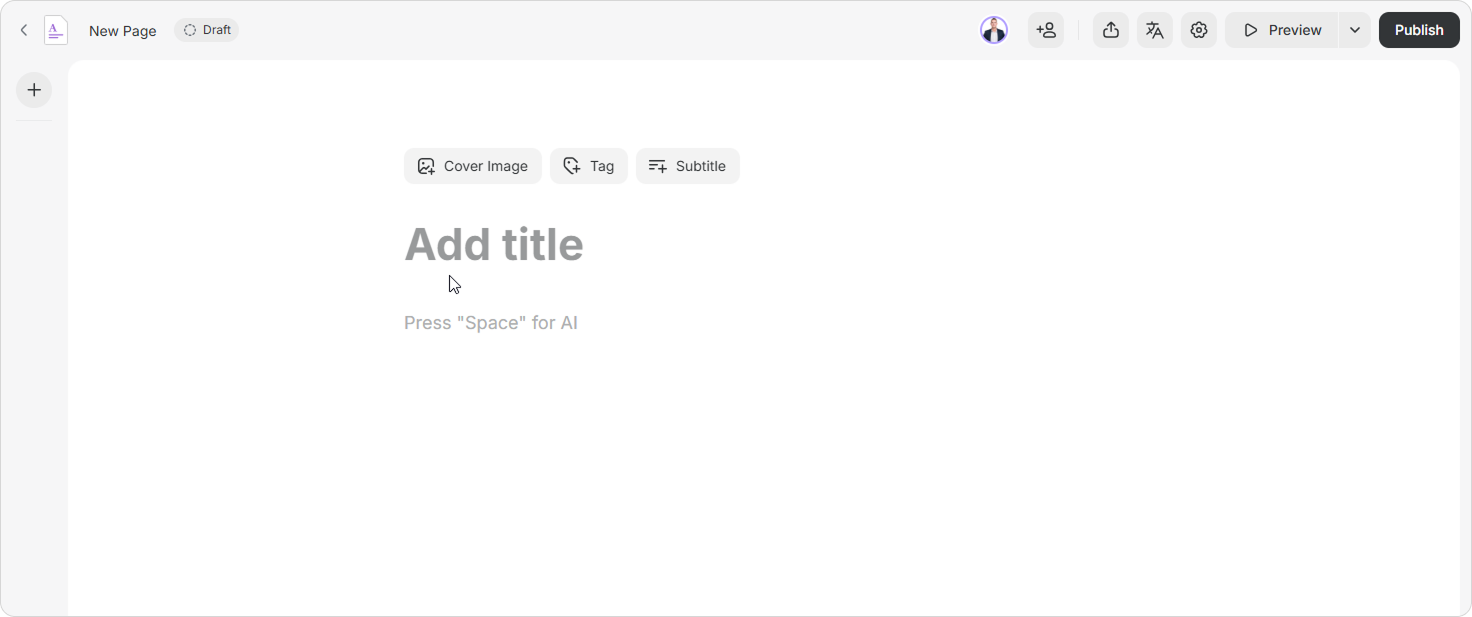
Enter a title and add content, such as text, images, or exercises.
By default, the page name is copied from the title. If you change the title, the page name updates automatically. If you edit the page name manually, it will no longer update when the title changes.
How to Add a Page to a Course
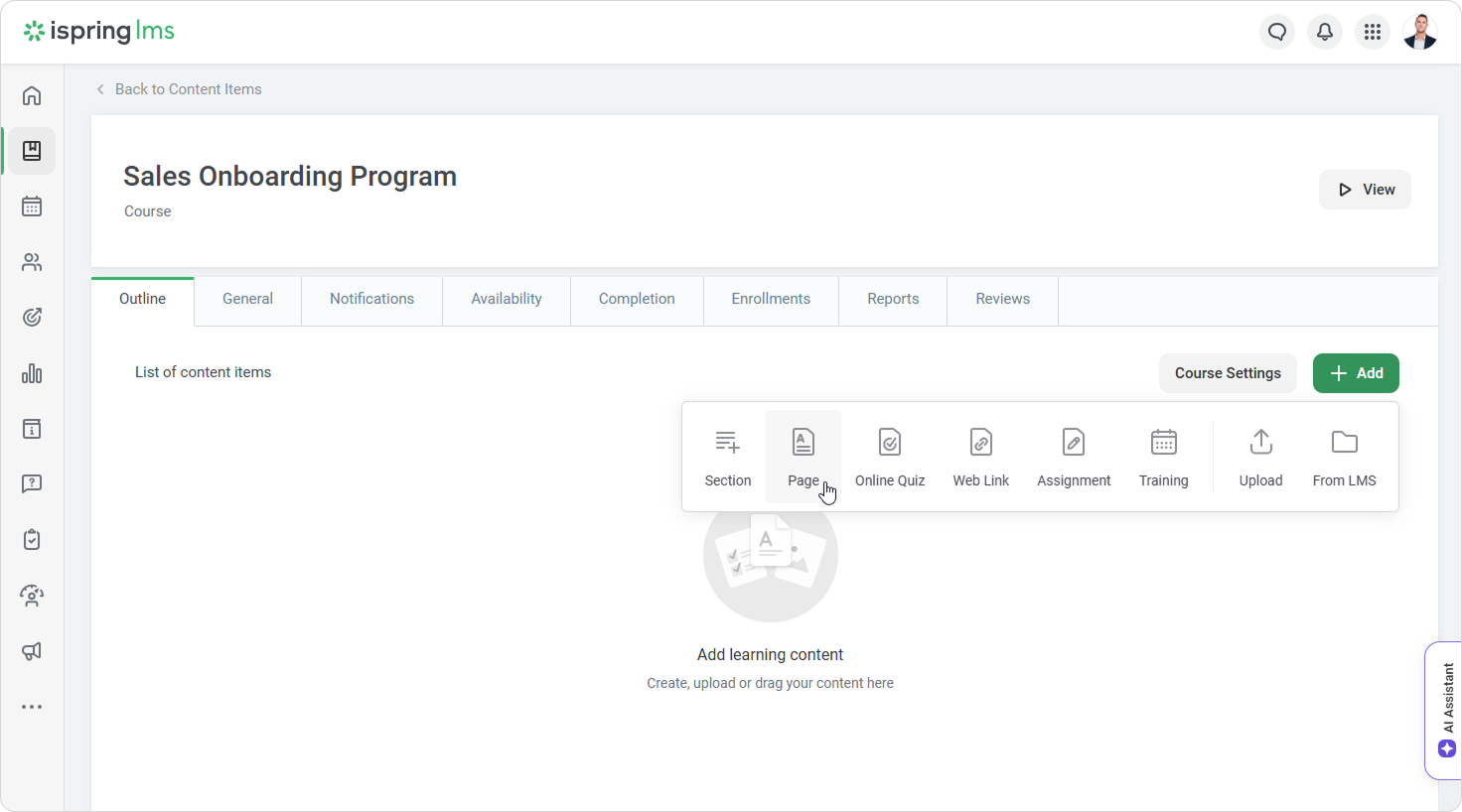
Open the course and go to the Structure tab.
Click Add > Page.
Enter a title and add content, for example, text, images, or exercises. Next, add chapters to the page.