Calculating the Progress of a Course
The progress of a course is calculated based on the status and progress of its content items. Let's see how a course's progress is calculated.
- The maximum course progress is 100%.
- The maximum content item contribution (or MAX CONTENT ITEM CONTRIBUTION) is calculated using the formula: 100% / NUMBER OF CONTENT ITEMS IN A COURSE.
Thus, if a course has 4 content items, the maximum contribution of each content item is 25%. After a content item has been taken by the learner, the course's progress increases by a certain percent. The additional percent (the contribution) depends on the type and status of the content item.
Content Item Type Status Content Item Contribution Video and audio files, PowerPoint presentations, iSpring Flip eBooks, iSpring Visuals interactions, pages
Not Started 0% In Progress 0,01 x PROGRESS x MAX CONTENT ITEM CONTRIBUTION Completed MAX CONTENT ITEM CONTRIBUTION Links, PDFs, Excel docs, Word docs, SWF files Not Started 0% Completed MAX CONTENT ITEM CONTRIBUTION Assignments Not Started 0% Pending Review 0% Declined 0% Accepted MAX CONTENT ITEM CONTRIBUTION iSpring Suite courses without quizzes and/or rated dialogs, unrated iSpring TalkMaster dialogs, surveys
Not Started 0% In Progress 0,01 x PROGRESS x MAX CONTENT ITEM CONTRIBUTION Incomplete 0,01 x PROGRESS x MAX CONTENT ITEM CONTRIBUTION Completed MAX CONTENT ITEM CONTRIBUTION iSpring Suite courses with quizzes and/or rated dialogs, iSpring QuizMaker quizzes, rated iSpring TalkMaster dialogs
Not Started 0% In Progress 0,01 x EARNED SCORE x MAX CONTENT ITEM CONTRIBUTION
Failed 0,01 x EARNED SCORE x MAX CONTENT ITEM CONTRIBUTION Passed 0,01 x EARNED SCORE x MAX CONTENT ITEM CONTRIBUTION SCORM courses Not Started 0% In Progress 0% Failed 0% Passed 100% Incomplete 0,01 x PROGRESS x MAX CONTENT ITEM CONTRIBUTION Completed 100%
Let's take the example of a course that includes 4 content items. The maximum contribution of each content item is 25%.
- The first content item is a video file. The user has only viewed part of it.
The video status is Completed. The content item contribution is equal to the MAX CONTENT ITEM CONTRIBUTION, 25%. - The second content item is an iSpring QuizMaker quiz. The user answered all quiz questions and passed it.
The quiz status is Passed (100%/80%). The content item contribution is calculated according to the following formula: 0.01 x EARNED SCORE x MAX CONTENT ITEM CONTRIBUTION.
0.01 x 100% x 25% = 25%
Let's add the contribution of the second content item to the course's progress: 25% + 25% = 50%
The course's resulting progress is 50%. - The third content item is an iSpring Visuals interaction. The learner has viewed all of its slides and the interaction status is Completed.
The addition to the course's progress is the maximum content item contribution — 25%.
50% + 25% = 75%
At this stage, the course's progress is 75%. - The fourth and last content item is a Microsoft Word document. As soon as the user opens the document, its status is changed to Completed.
The maximum content item contribution (25%) has been added to the course's progress.
75% + 25% = 100%
The final progress of the course is 100%.

Important:
Even if the learner has completed all content items (successfully or not), the course's progress might not reach 100%.
Here’s an example of such a course:- Quiz 1 (Passed 100/90) (0,01 x 100% x 33,3%) + (0,01 x 85% x 33,3%) + (0,01 x 70% x 33,3%) = 84,9%
- Dialog 2 (Passed 85/85)
- Quiz 3 (Failed 70/90)
- If you change a content item’s status manually, the course’s total progress will be recalculated.
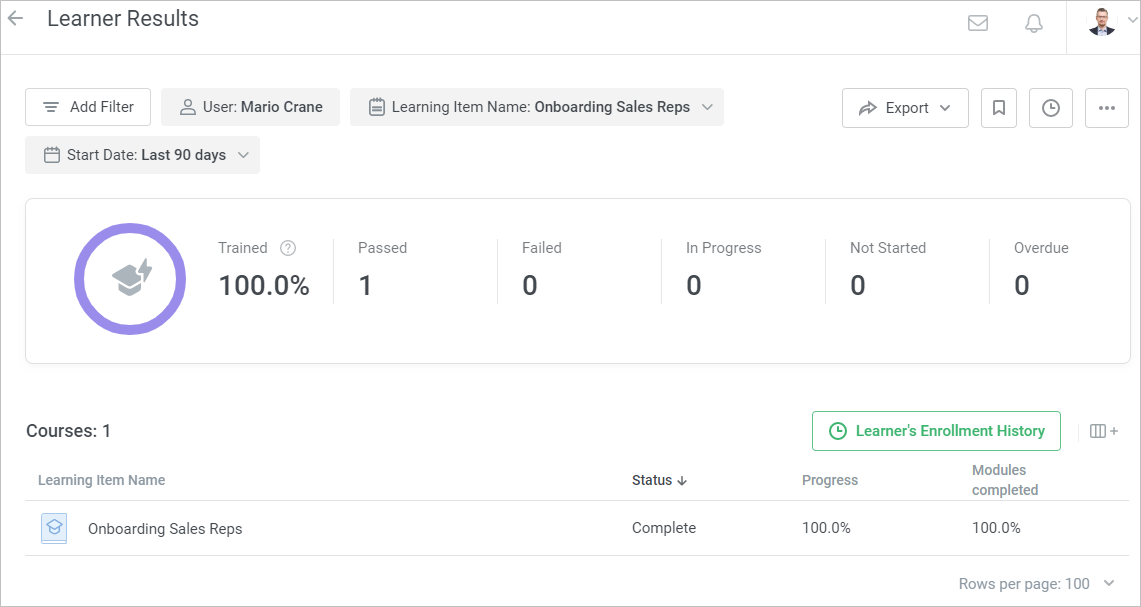
- A course's progress can be checked with the help of reports. For example, you can run the Learner Results report.
- A learning track's progress is calculated based on the progress of the courses that are included in the track.