This section describes which users can participate in on-the-job training and what actions are available to them.
Participants can be users with standard roles, such as Account Owner, Account Administrator, Supervisor, and Learner—as well as users who have been assigned a custom role.
| Actions / Role | Account Owner | Account Administrator | Custom Role | Supervisor | Learner |
|---|
| Enable or disable the “On-The-Job Training” section | + | + | _ | _ | _ |
|---|
| Create an observation checklist | + | + | + | _ | _ |
|---|
| Grant users access to conduct on-the-job training | + | + | + | _ | _ |
|---|
| Schedule on-the-job training | + | + | + | + | _ |
|---|
| Conduct on-the-job training | + | + | + | + | _ |
|---|
| Participate in on-the-job training | + | + | + | + | + |
|---|
| View on-the-job training results | + | + | + | + | + |
|---|
| Receive notifications about scheduled on-the-job training | + | + | + | + | + |
|---|
| Receive reminders for upcoming on-the-job training | + | + | + | + | + |
|---|
| Receive a 24-hour post-launch reminder to complete on-the-job training | + | + | + | + | _ |
|---|
| View reports by department | + | + | + | _ | _ |
|---|
| View reports by supervisor | + | + | + | _ | _ |
|---|
| View reports by employees | + | + | + | _ | _ |
|---|
Custom Role
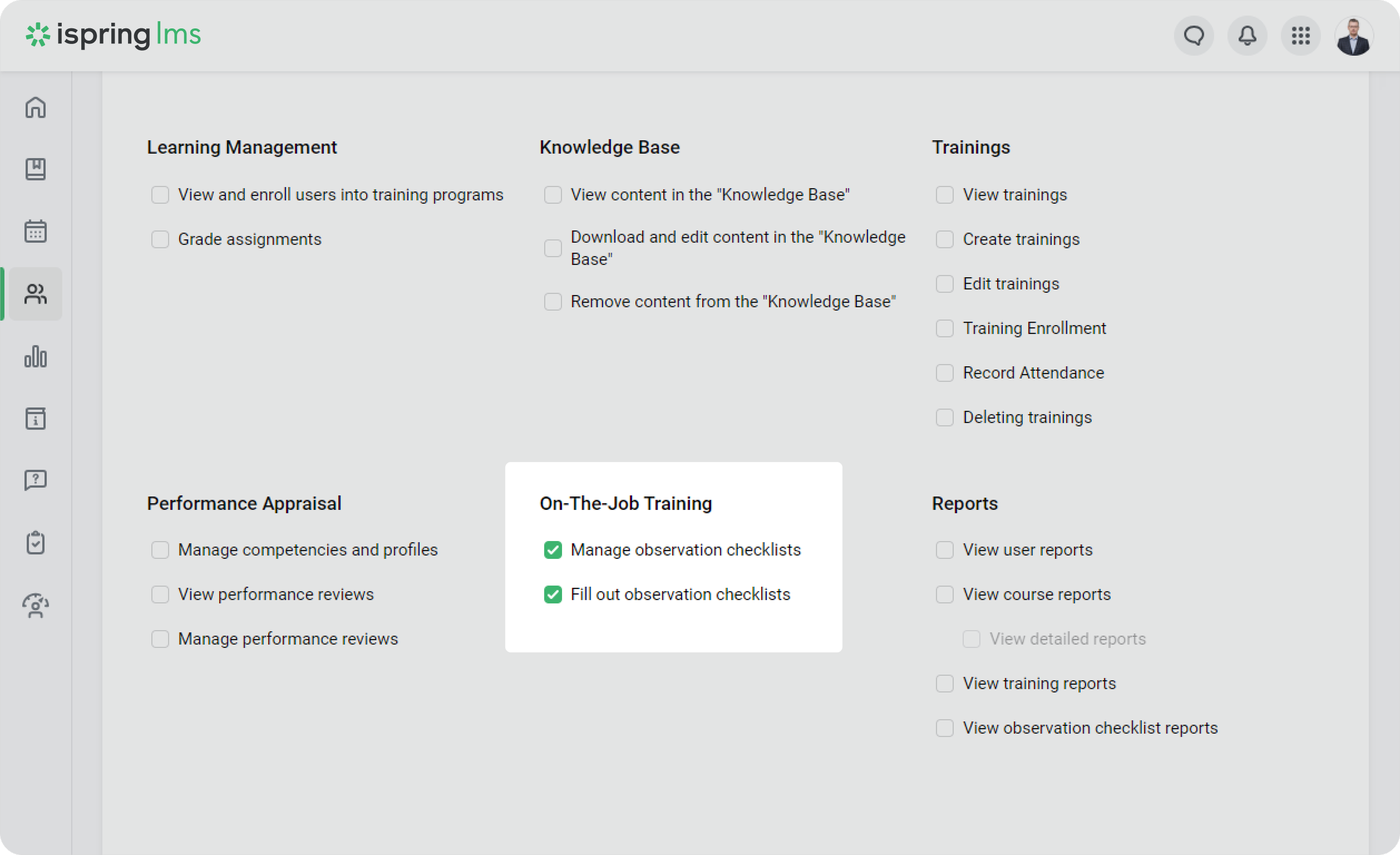
Let's suppose that the observer needs to conduct a training in the User Portal. You can add them to iSpring LMS and create a custom role that allows them to lead sessions in the User Portal, but with no access to the Administrator Portal.
To do this,
- Go to the Users > Roles section.
- Then, click on New Role.
- Enter a role name, for example, Observer. Then, enable the following permissions:
- Manage observation checklist
- Fill out observation checklists