How to Sync Course Status and Download a Certificate in BambooHR
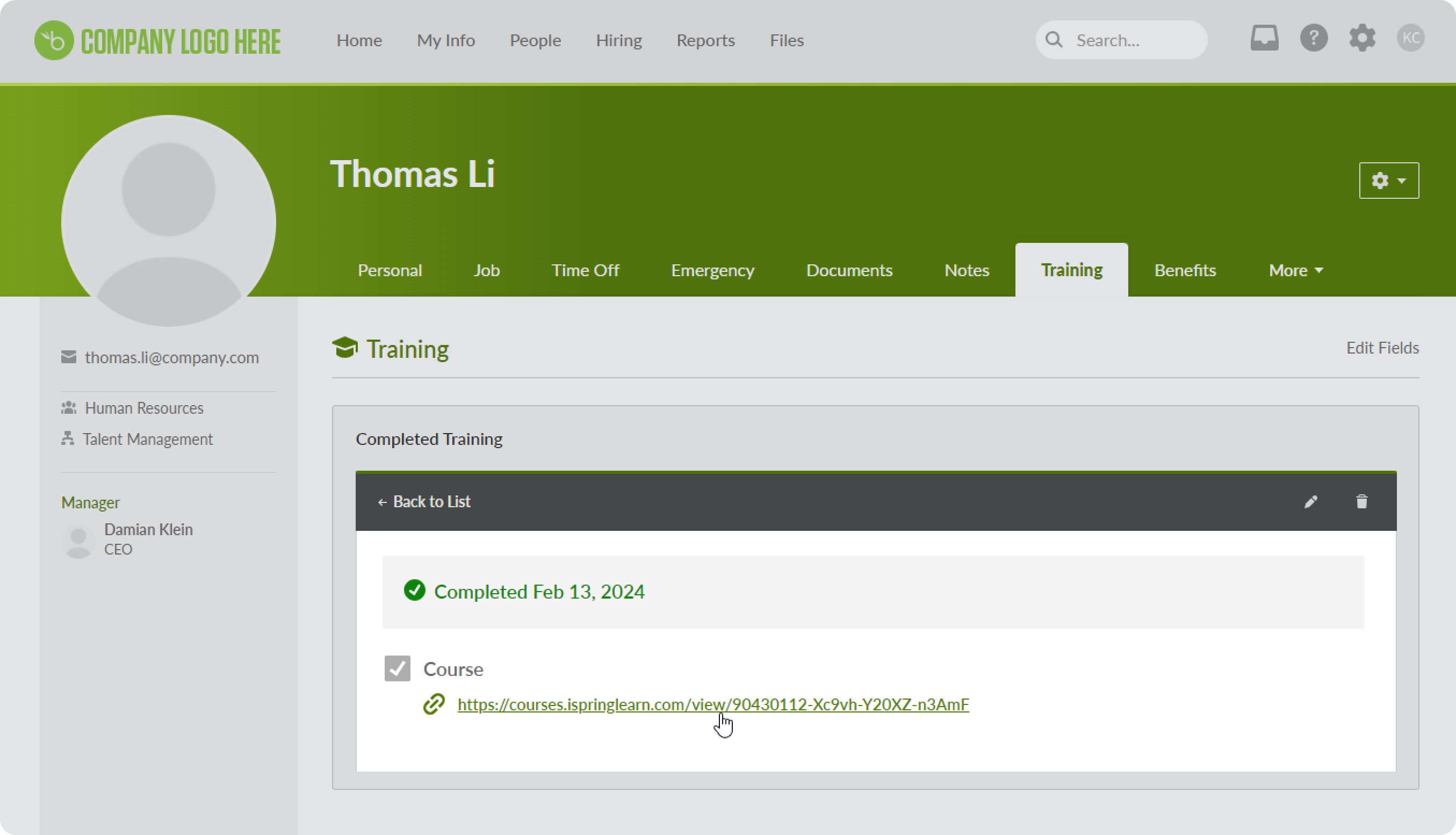
If a user completes a course in iSpring LMS and receives a certificate, you’ll see information about the course and be able to download the certificate directly from BambooHR.
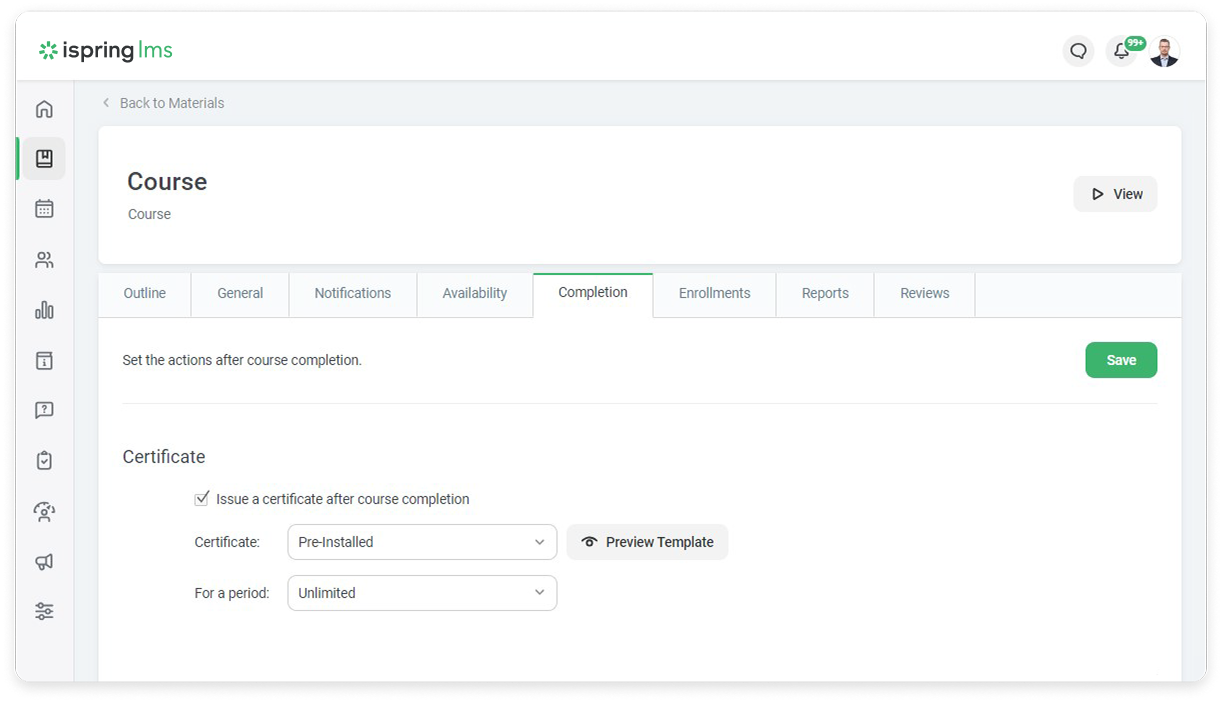
Ensure that users will receive a certificate upon completion in iSpring LMS. To do this, in the Completion section, check Issue a certificate after course completion.
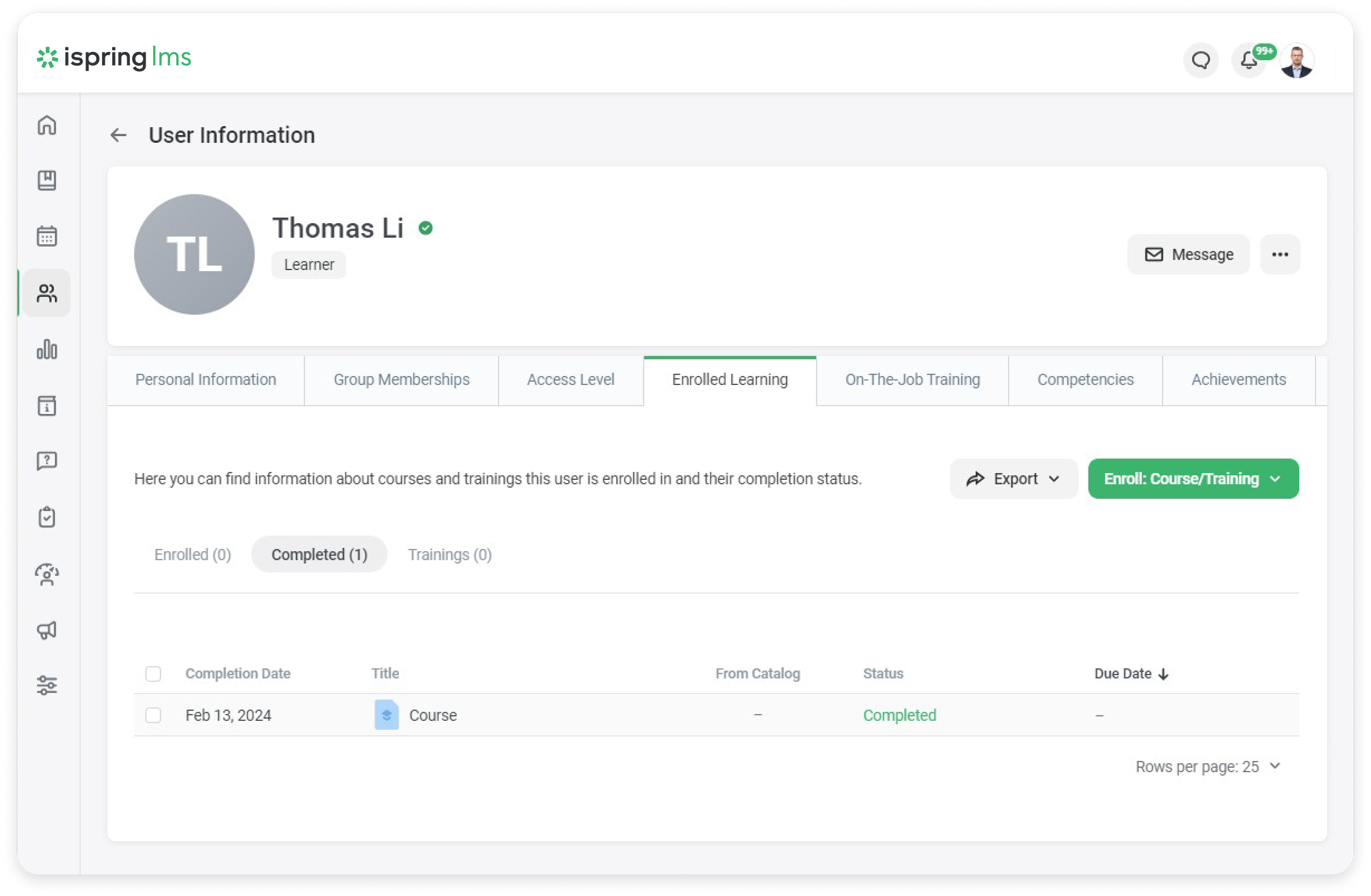
Now let's imagine that the user completed a course in iSpring LMS and received a certificate.
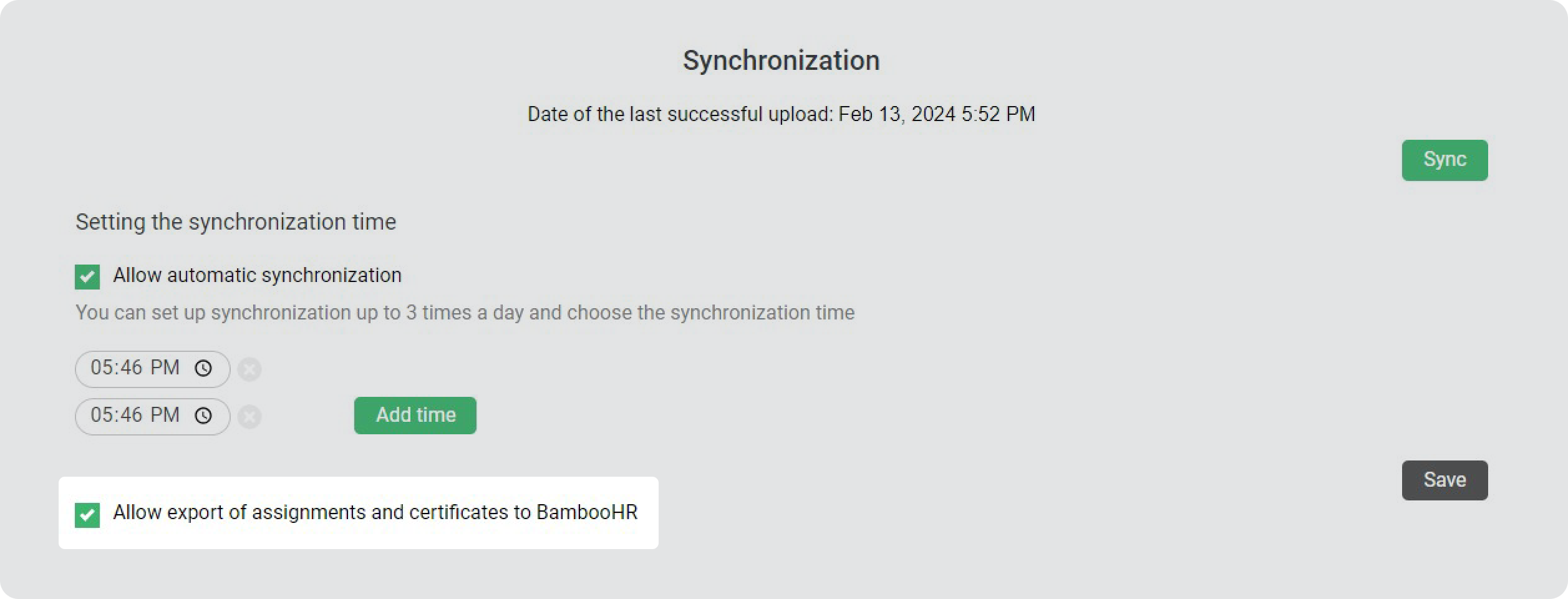
To have information about the course and the certificate appear in BambooHR, go to Services in the integration settings in iSpring LMS and tick Allow export of assignments and certificates to BambooHR.
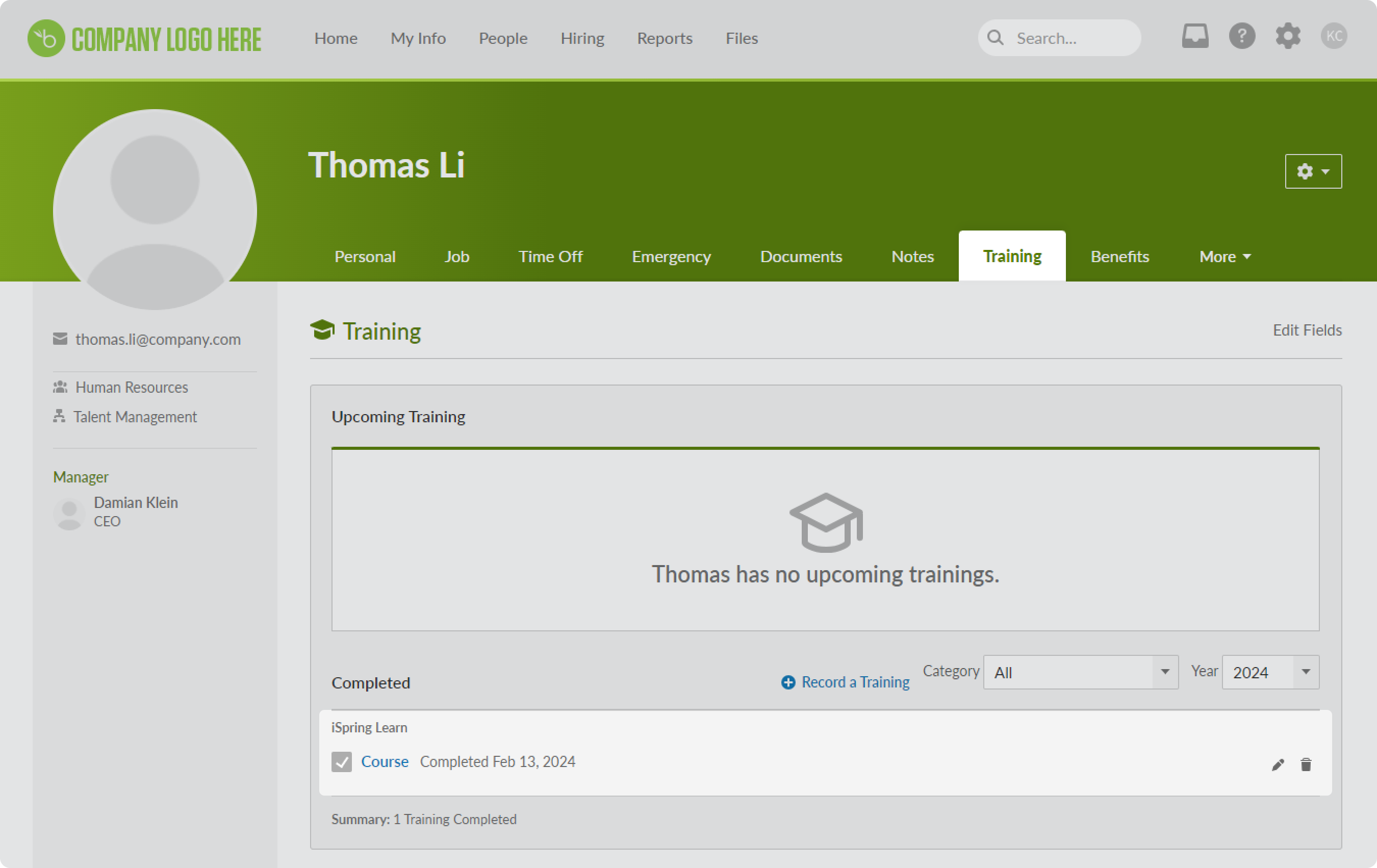
After synchronization, return to BambooHR and open your user profile > the Training section. Here you will see the courses that the user has completed.
To open the certificate, click on the course name.
Done! Now you can track course status and check user certificates directly in BambooHR.