You can change auto-assignment settings for a plan template.
- Go to Development Plans > Plan Templates.
- Select the template and click ••• > Edit auto-assignment.
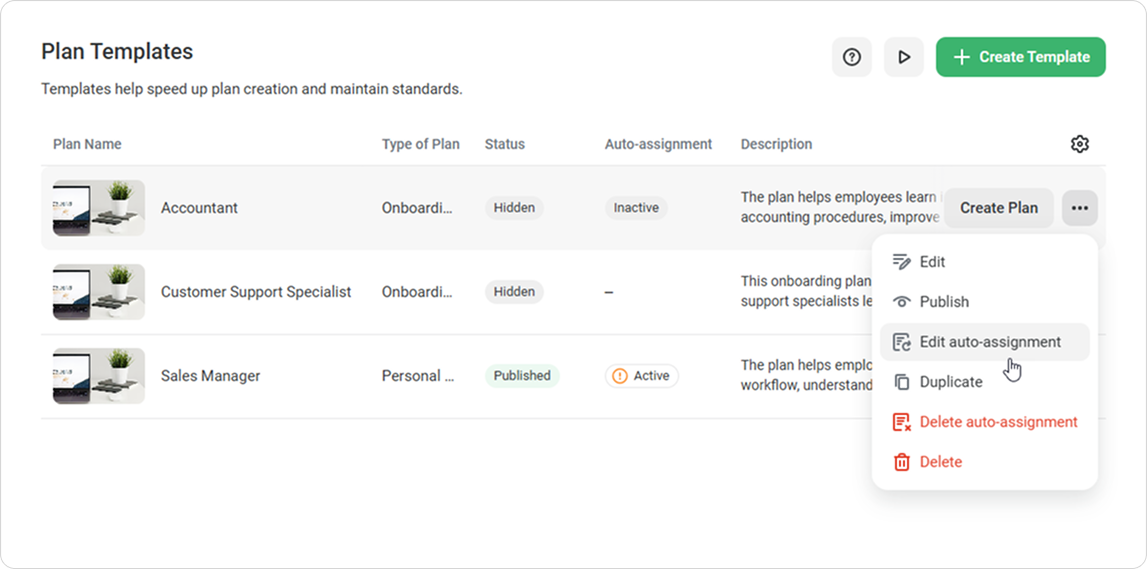
- Make the needed changes to:
- Assignment conditions
- Plan team
- Plan access
- Click on Save.
What happens to previous conditions
After you save the changes, the updated auto-assignment settings take effect. At the same time:
- Plans assigned under the previous conditions don’t change
- Plans that have already been assigned aren’t canceled or recreated
- The updated settings apply only to future changes
Great! You’ve edited auto-assignment.