If auto-assignment is no longer needed, you can delete it.
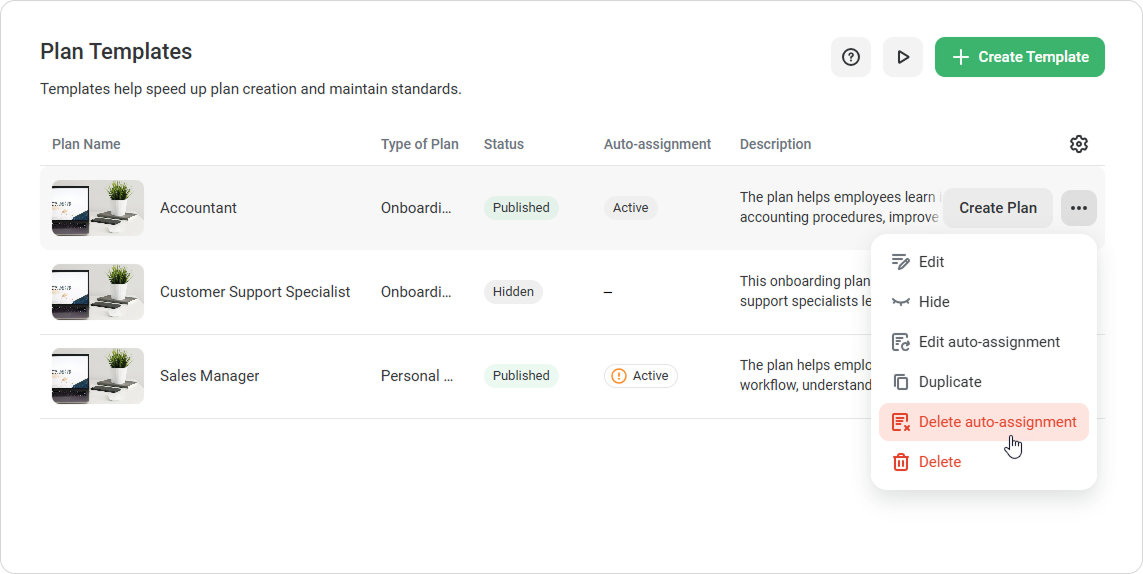
- Go to Development Plans > Plan Templates.
- Select the template for which auto-assignment has been set up.
- Click ••• > Delete auto-assignment.
- Confirm the deletion.
Done! Plans will no longer be assigned automatically based on these conditions. Plans that have already been assigned won’t be affected.