You can track certificate expiration dates to recertify teams and pass audits on time.
In the employee’s profile
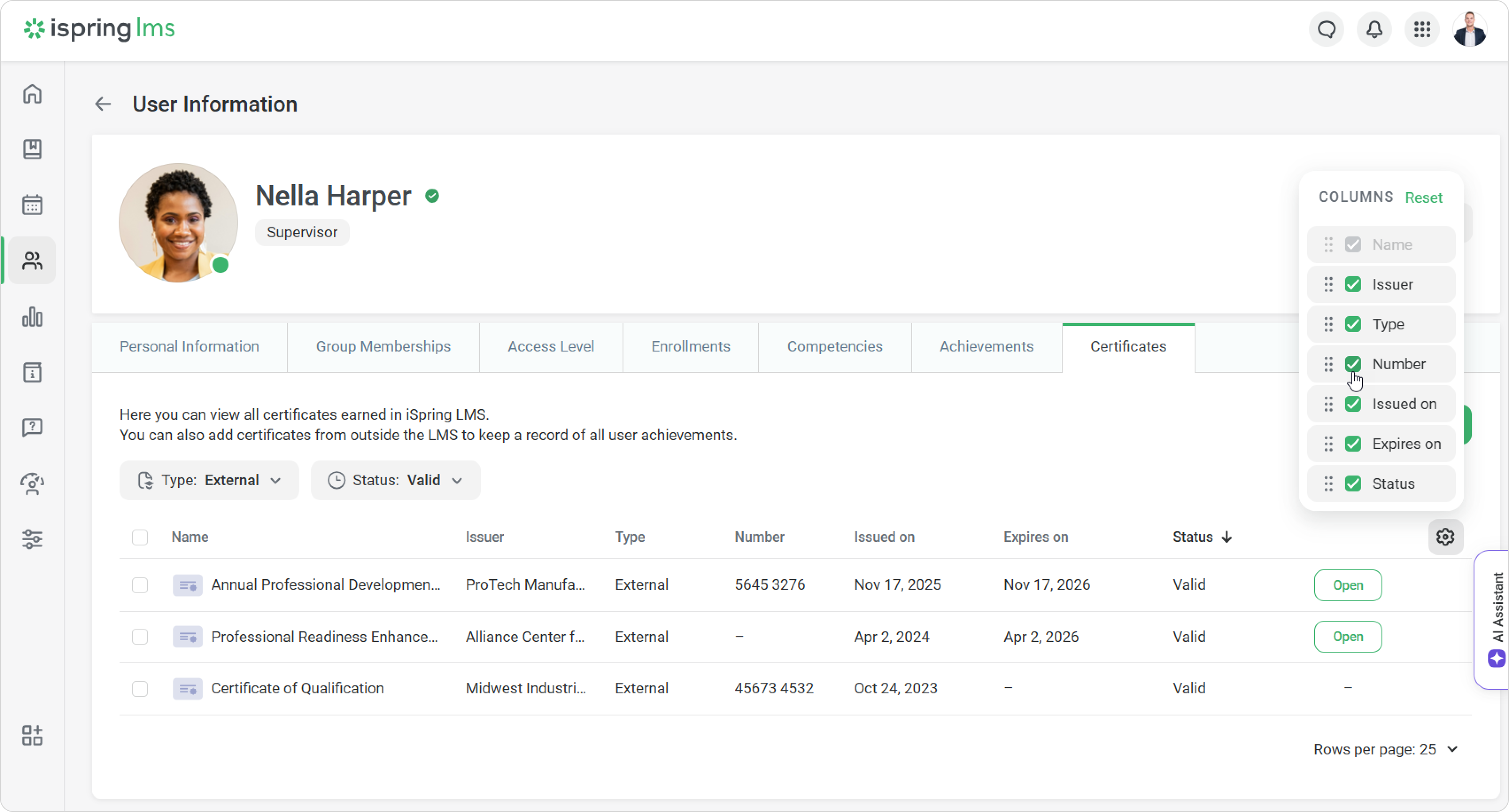
View the employee’s personal statistics for both external and internal training.
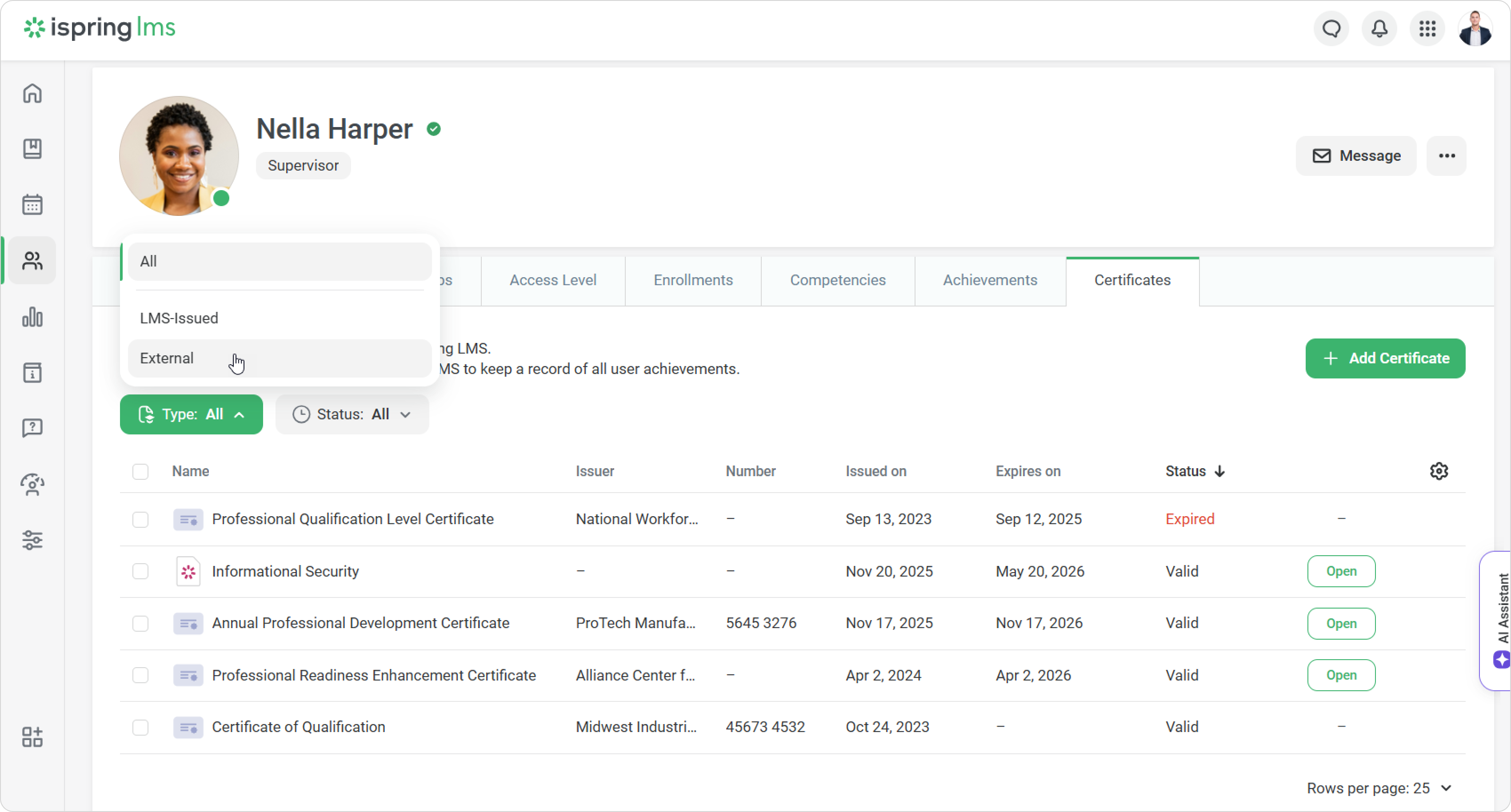
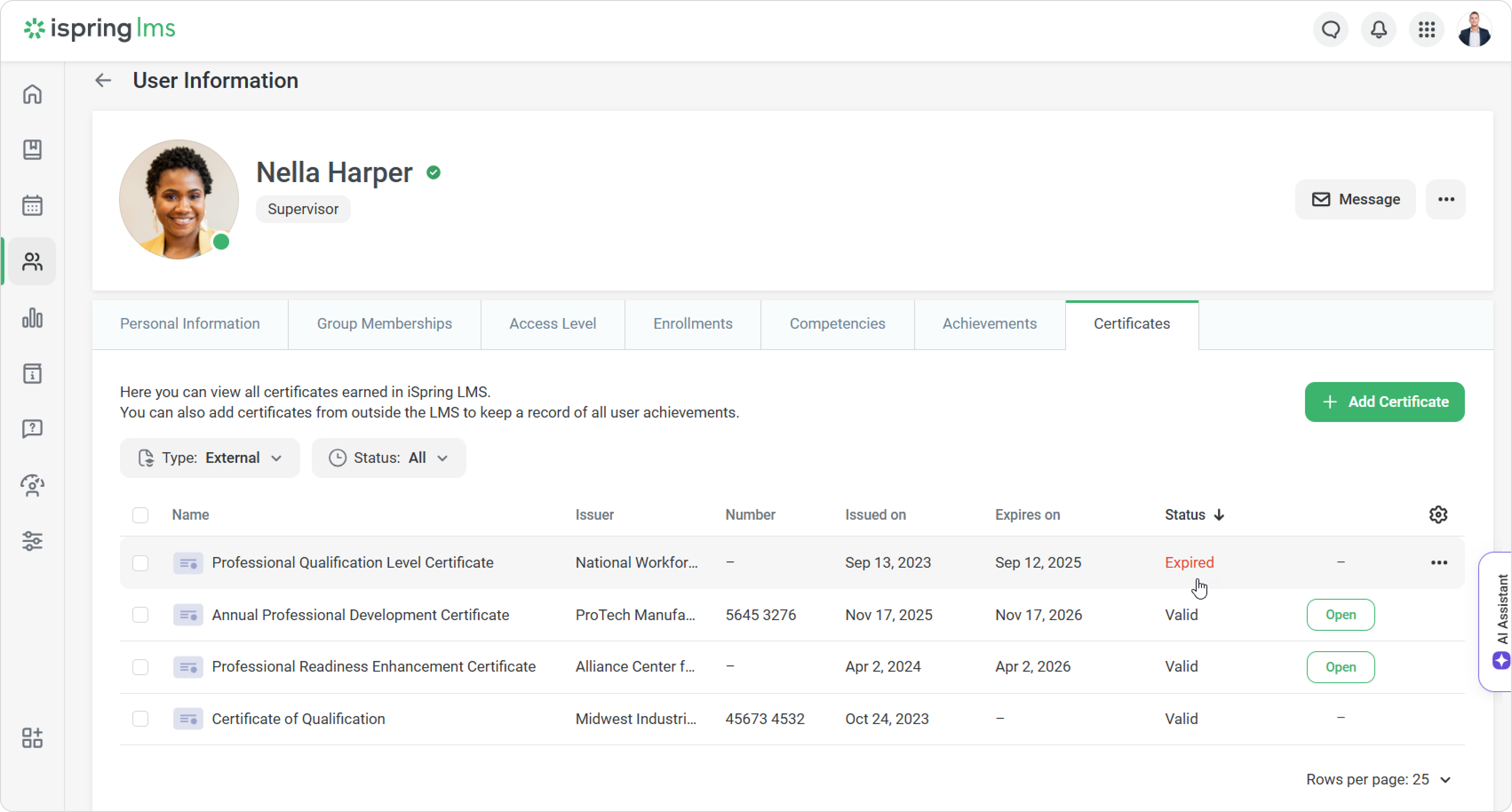
To see only external certificates, open the Type filter and select External.
Expired certificates are highlighted in red.
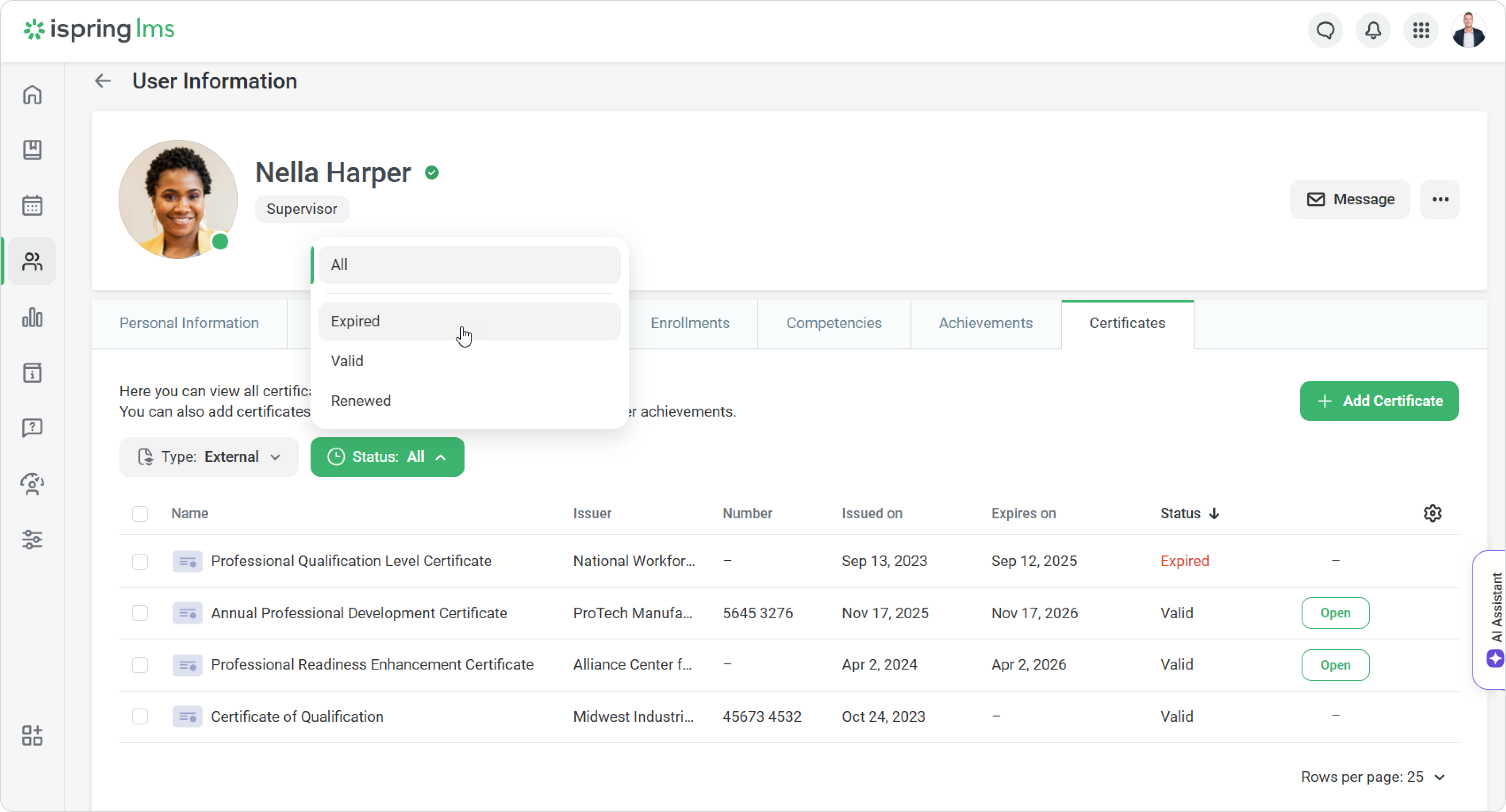
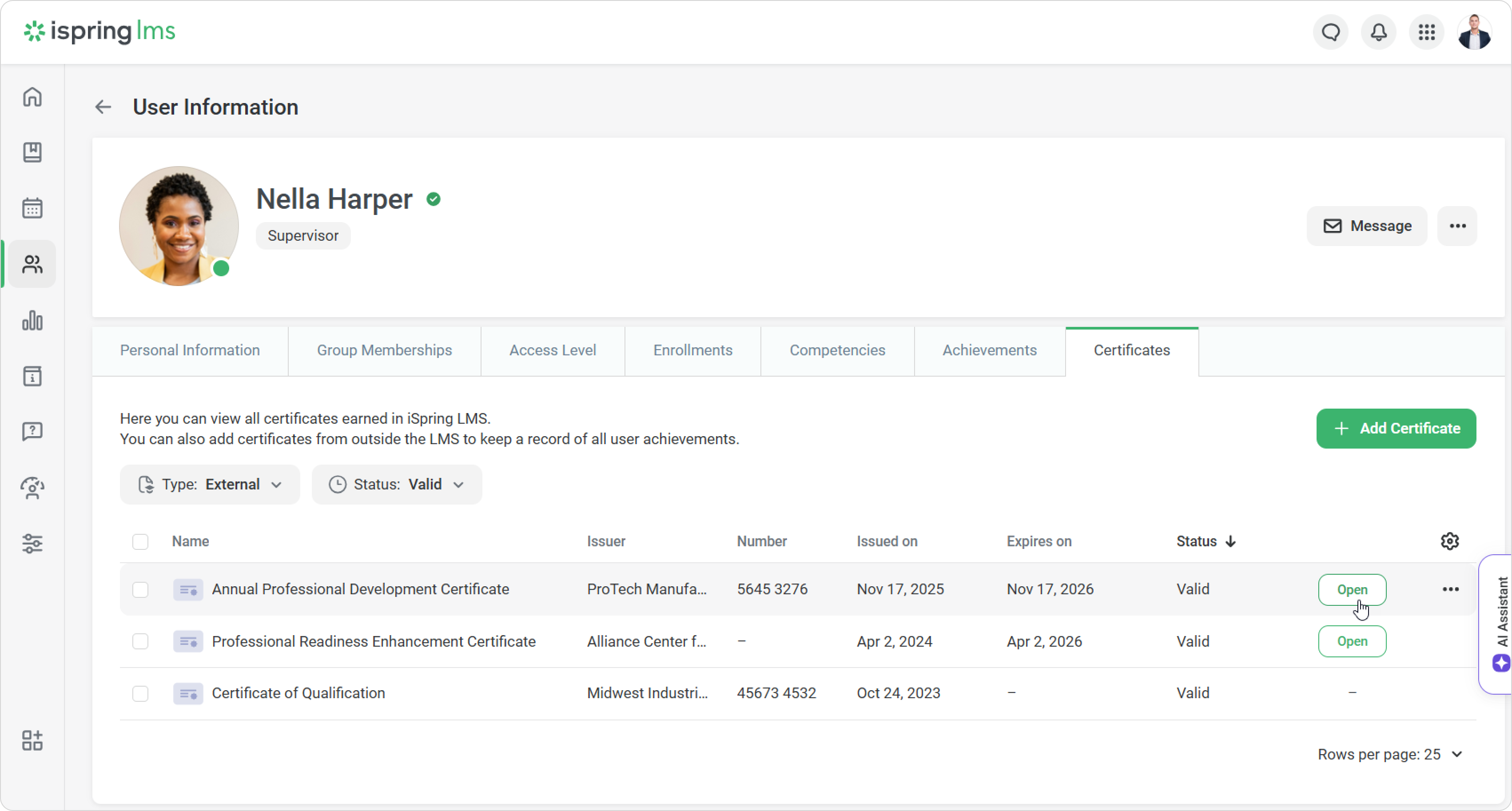
Use the Status filter to show only valid, expired, or renewed certificates.
To view a digital copy of the certificate, click on Open.
You can see even more data using columns. Click on the gear icon and select what you want to display — certificate numbers or issuer names, for example.
In the report
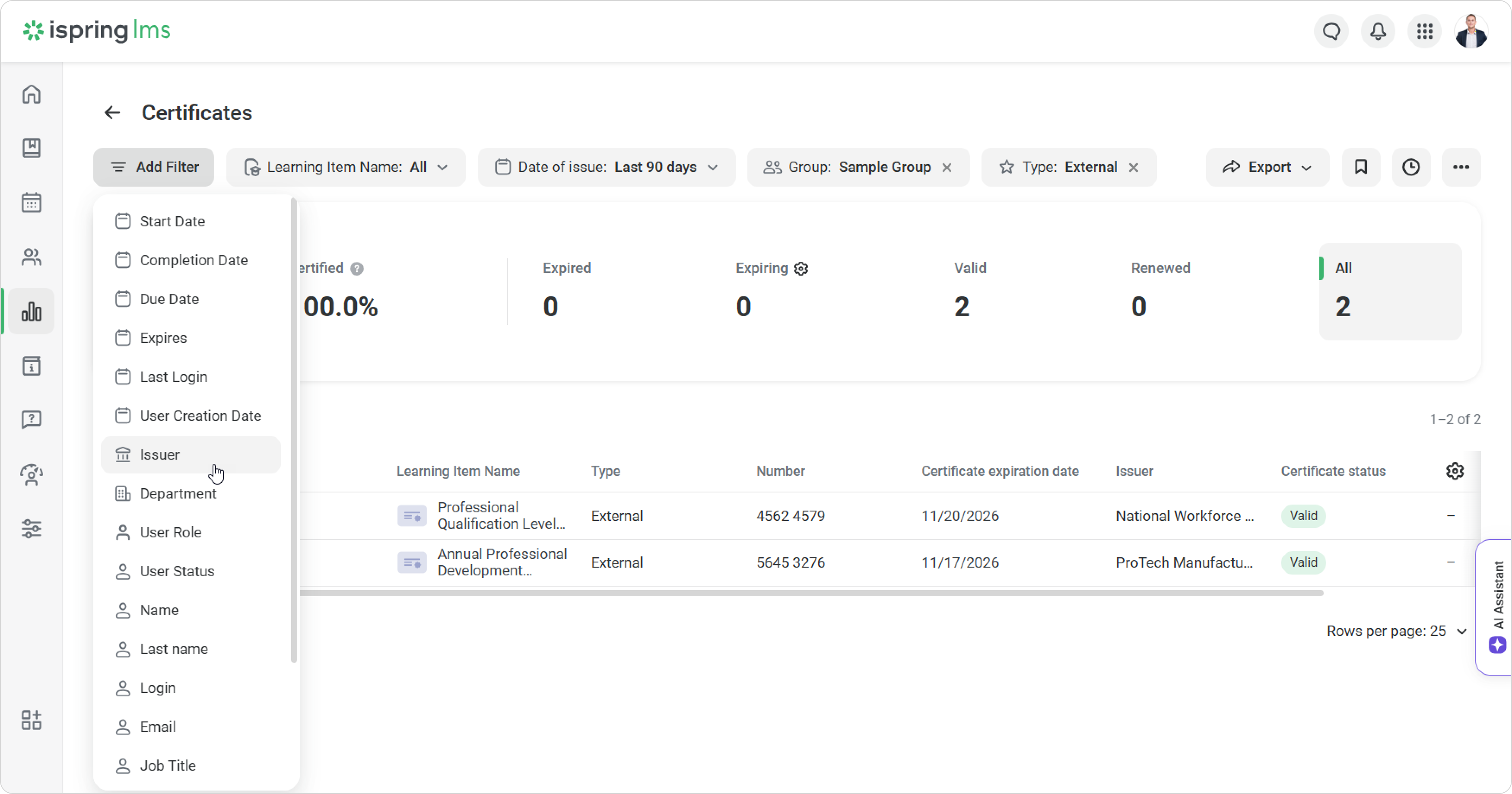
Track all employee certificates in the Certificates report.
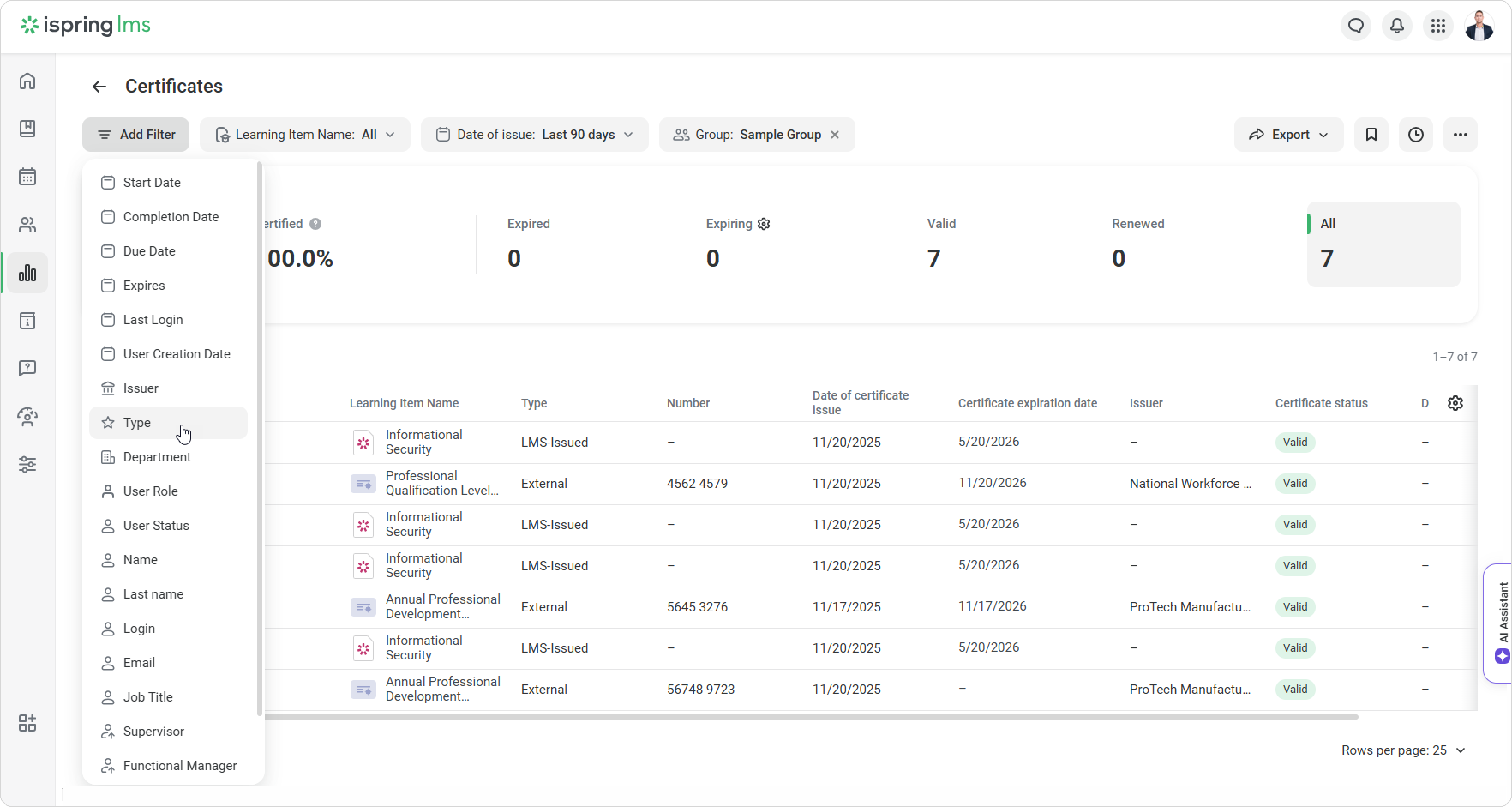
Open the Certificates report.
Add the Type filter.
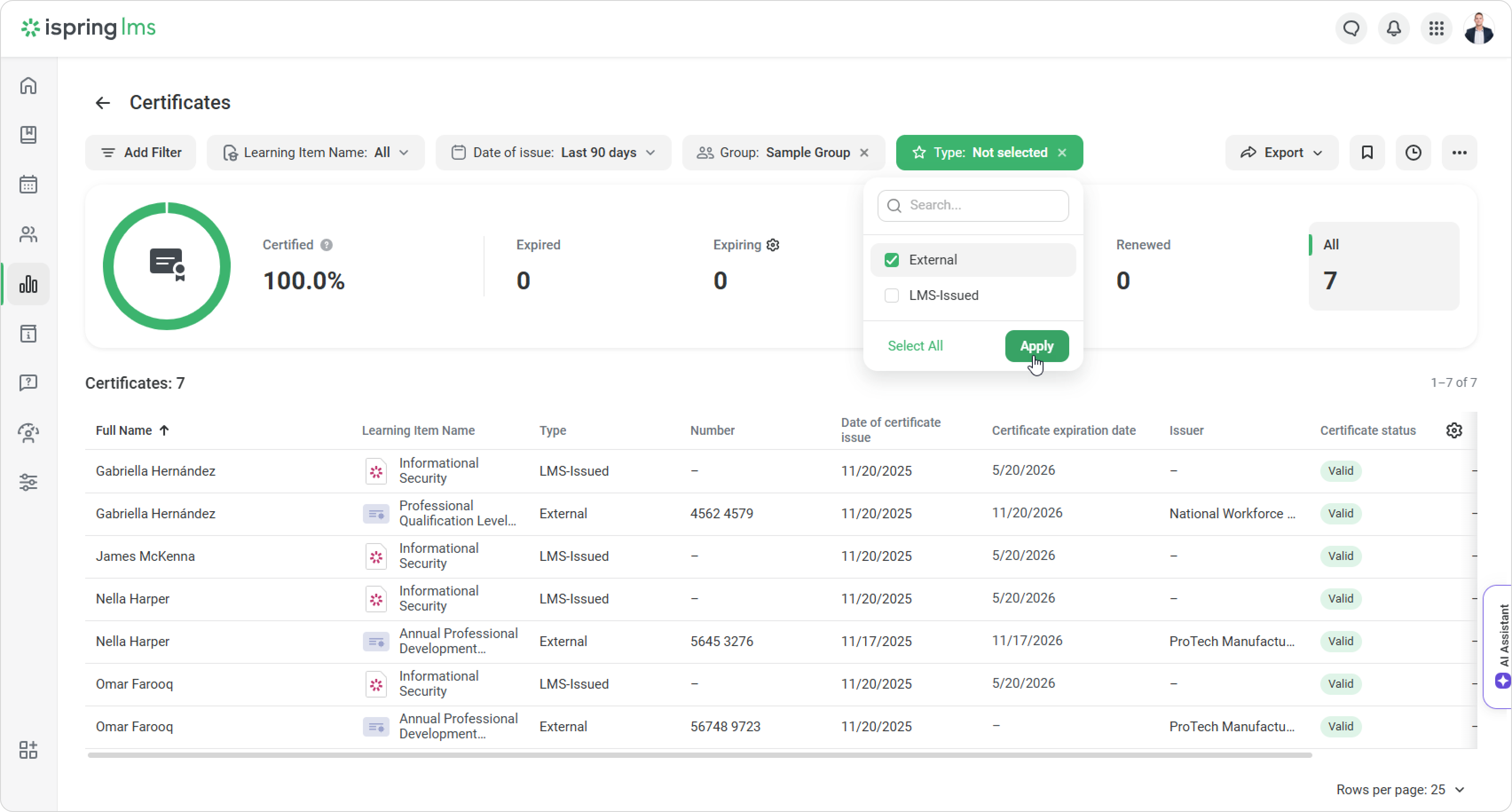
Then choose External in the Type filter.
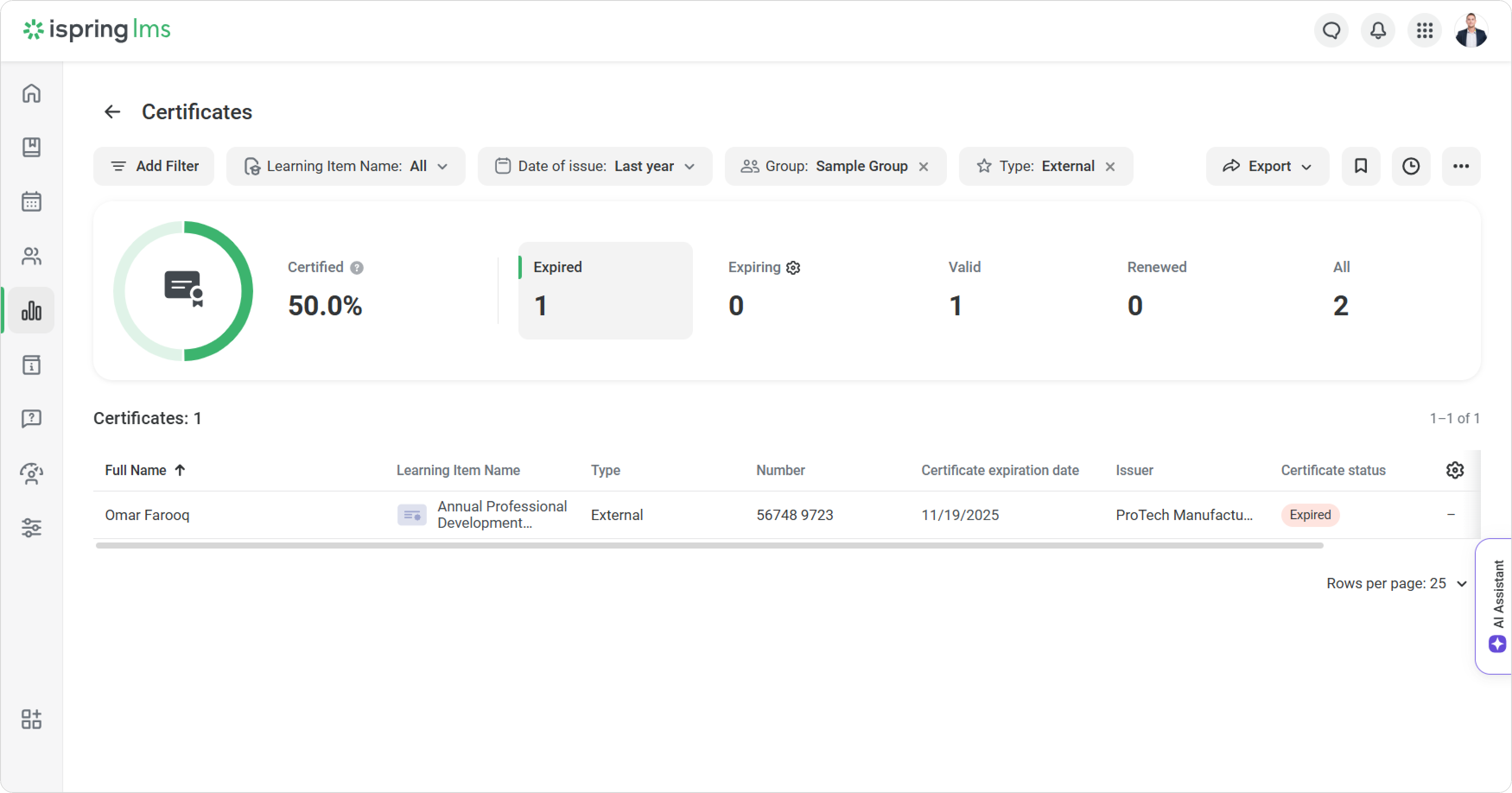
Switch between tabs to see different results.
iSpring LMS highlights expired certificates in red, so you can plan retraining on time.
To view certificates from a specific training provider, add the Issuer filter.
That’s it! You now have complete statistics on employee certificates.