Adding Variables to Personalize Your Certificate in DOCX
You can upload a custom certificate to iSpring LMS. However, such a certificate does not include the learner’s name, course title, or other personal details by default.
To add personalized information, use variables. When a certificate is issued, iSpring LMS automatically replaces these variables with actual user and course data, such as the learner’s name, the course completion date, or the course title.
Each variable must be entered between % signs. For example, %NAME%, %COURSE_NAME%.
By default, iSpring LMS currently recognizes the following variables:
Variable
Description
%CERTIFICATE_ID%
A unique identifier for every certificate awarded
%NAME%
The first and last name of the learner who completed your course
%COURSE_NAME%
The title of the course or training
%COURSE_SUBTITLE%
The certificate’s reference number or the learning program that the course belongs to
%DURATION%
The amount of time the learner spent to complete your course
The start date of the training — the date when the user first opened the course or joined the webinar.
Date format: DD/MM/YYYY. Example: 21/03/2026.
%DATE%
The date that the learner completed your course, in the month/day/year format.
%DATE_ONLY%
The date that the learner completed your course (time not included).
%TIME_ONLY%
The time when the learner completed your course (date not included).
%EXPIRATION_DATE%
The certificate expiration date is automatically calculated, beginning from the date when the certificate was issued
%AWARDED_SCORE%
Awarded score points
%PASSING_SCORE%
Passing score (this field will be empty if it is not specified)
%DATE_EN%
The date and time when the learner completed your course in American date format: month/day/year
%INSTRUCTOR%
The name of the instructor you chose when you addeda new session. It is displayed on certificates of completion that are issued for training purposes.
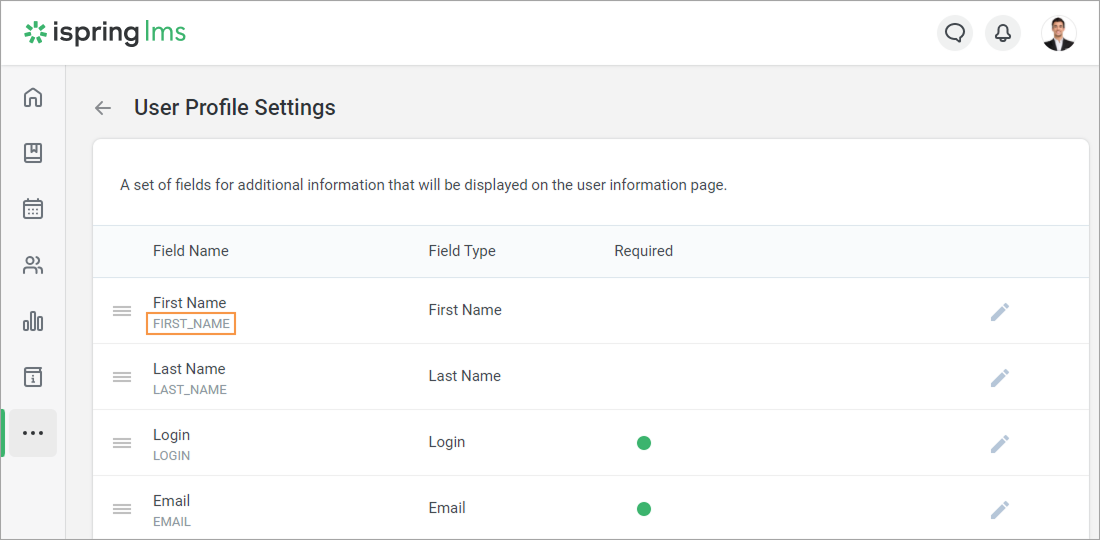
But, you can also insert any user profile field into a certificate. To do this, you will need to copy a user field ID and insert it in the certificate.
Check how to create a new custom field and set up its field ID in the User Profile Settingsarticle.