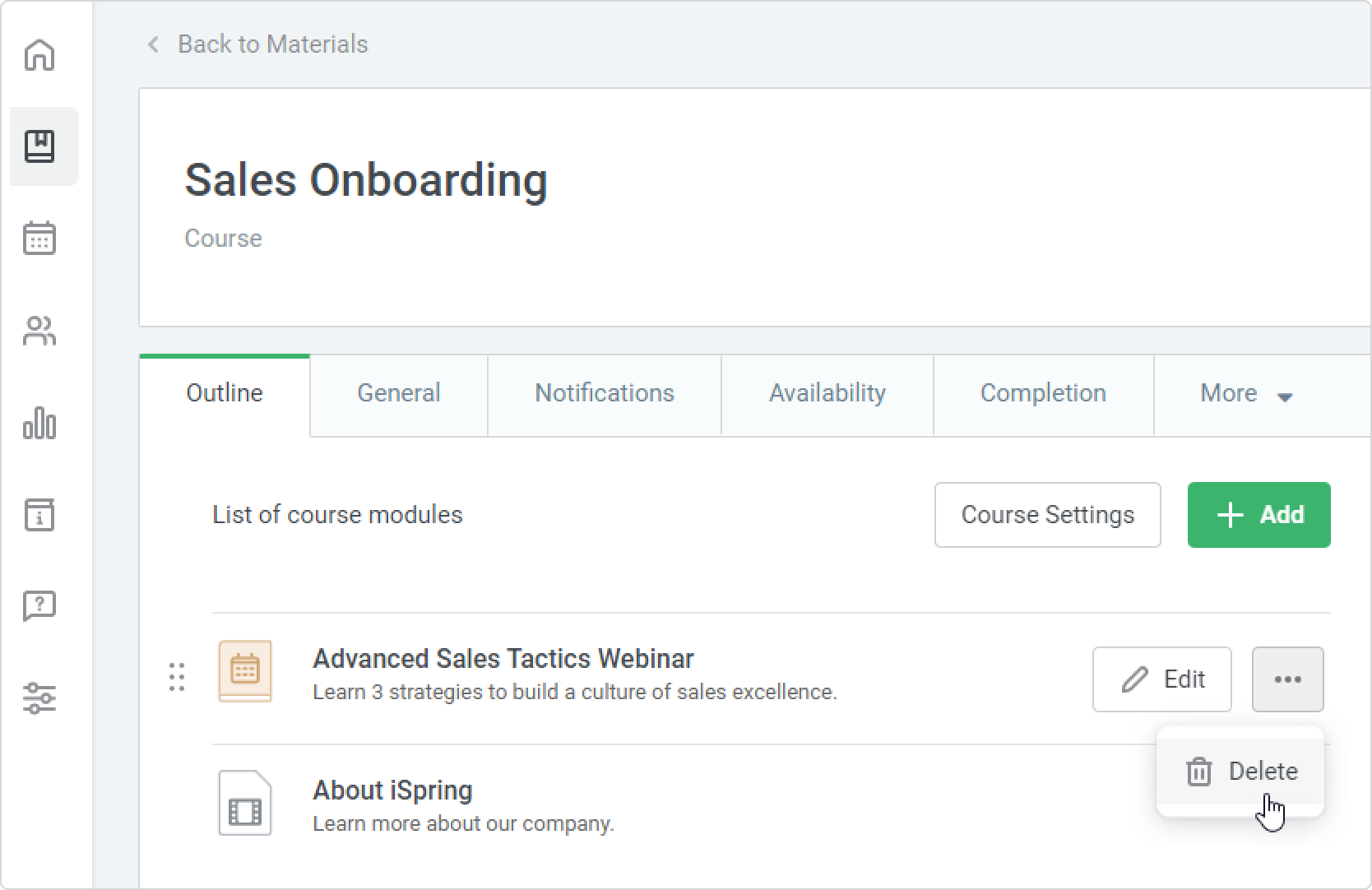
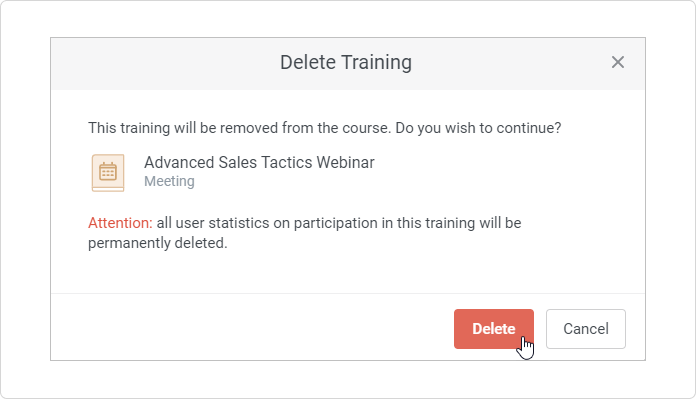
To delete a training from a course:
- Open a course, mouse over the area next to the training, and click •••.
- Next, click Delete.
- Finally, confirm your choice.
- Only users who have permission to edit courses can delete trainings from a course.
- If you delete a training from a course, it will only be deleted from that course. The standalone training will be maintained in the account.
- If you delete a training from a course, all user enrollments in a training made within a course will also be deleted. Users enrolled in the training via a course will no longer occupy seats in the training sessions.
- When you delete a training from a course, the training cancellation email is not sent out to enrolled users.