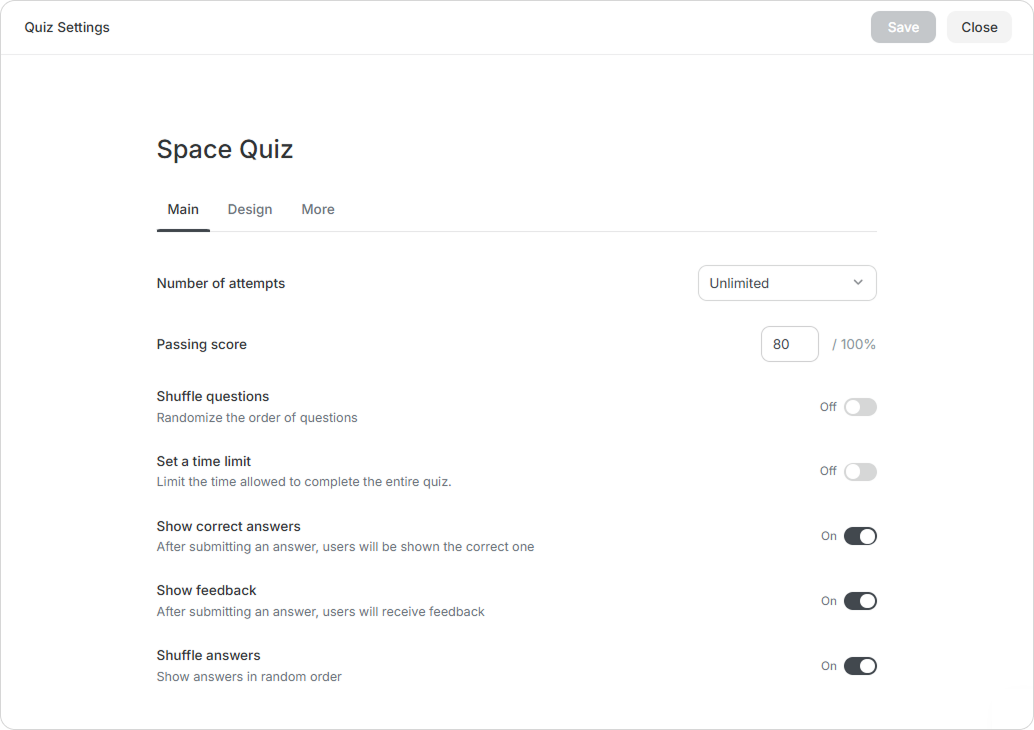
| Set a time limit | Enable this option to limit the amount of time a user will have to take the quiz. The duration will begin as soon as the user launches the quiz. |
|---|
| Shuffle questions | Enable the random display of quiz questions. |
|---|
| Shuffle answers | Enable the random display of quiz answers. |
|---|
| Show feedback | After answering, users will see feedback for both correct and incorrect responses. |
|---|
| Show correct answers | Enable the display of correct answers after a user selects an answer option. |
|---|